IRCTC - App Redesign

An interface to interact with the company in a conversational way.

Project Description

Redesigning the IRCTC app to create a seamless and intuitive ticket-booking experience, addressing current usability challenges and enhancing user satisfaction for millions of travellers.

Core

Product design

Tags

Research | Product Design

My role

Designer | User Testing

Brief

The project aims to streamline the booking process, improve information architecture, and incorporate user-centric features that cater to the diverse needs of Indian railway passengers.

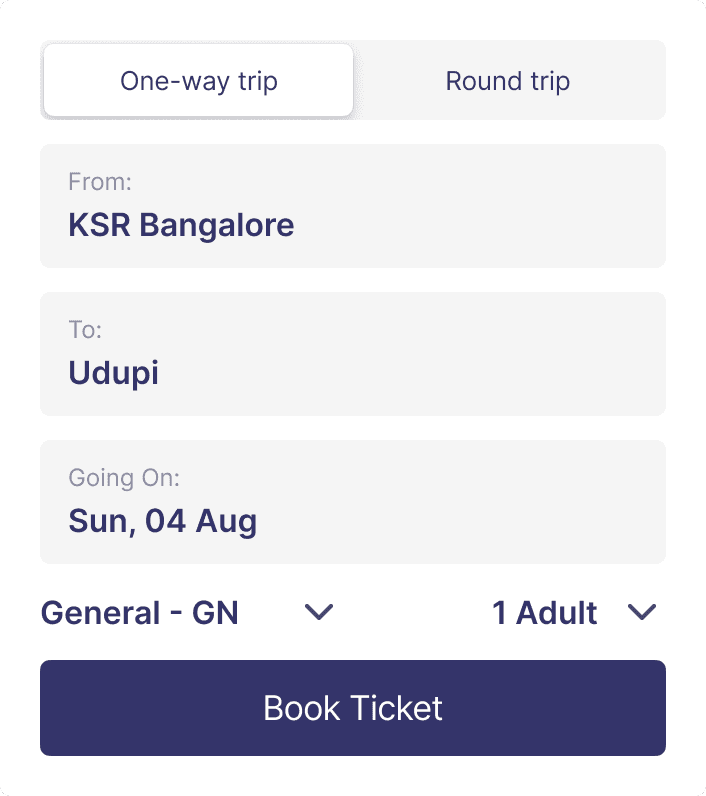
  • Make the booking process more intuitive and user-friendly, especially for differentiating between one-way and round-trip tickets

  • Create a consistent and visually appealing user interface across all screens

  • Improve post-booking features like ticket status, cancellation, and refunds

The challenge

IRCTC stands for Indian Railway Catering and Tourism Corporation. It is a public sector undertaking owned by the Government of India through the Ministry of Railways.


I decided to redesign the IRCTC app after facing some challenges while booking a ticket. A few of my friends suggested using the website or a third-party app instead, which made me realize there were clear issues with the app. This prompted me to dive into user reviews and conduct surveys across different age groups to understand their experiences better. All this research motivated me to tackle the redesign and create a more user-friendly app for train ticket bookings.

The Problem

Analyzed recent IRCTC app reviews post‑v4.2.25 (released Jul 9, 2024) to surface recurring UX issues from a large, active user base.

  • Ran a poll with 40+ travelers on booking preferences: only 45% use the IRCTC app; the rest prefer the website or competitor apps that better address known pain points
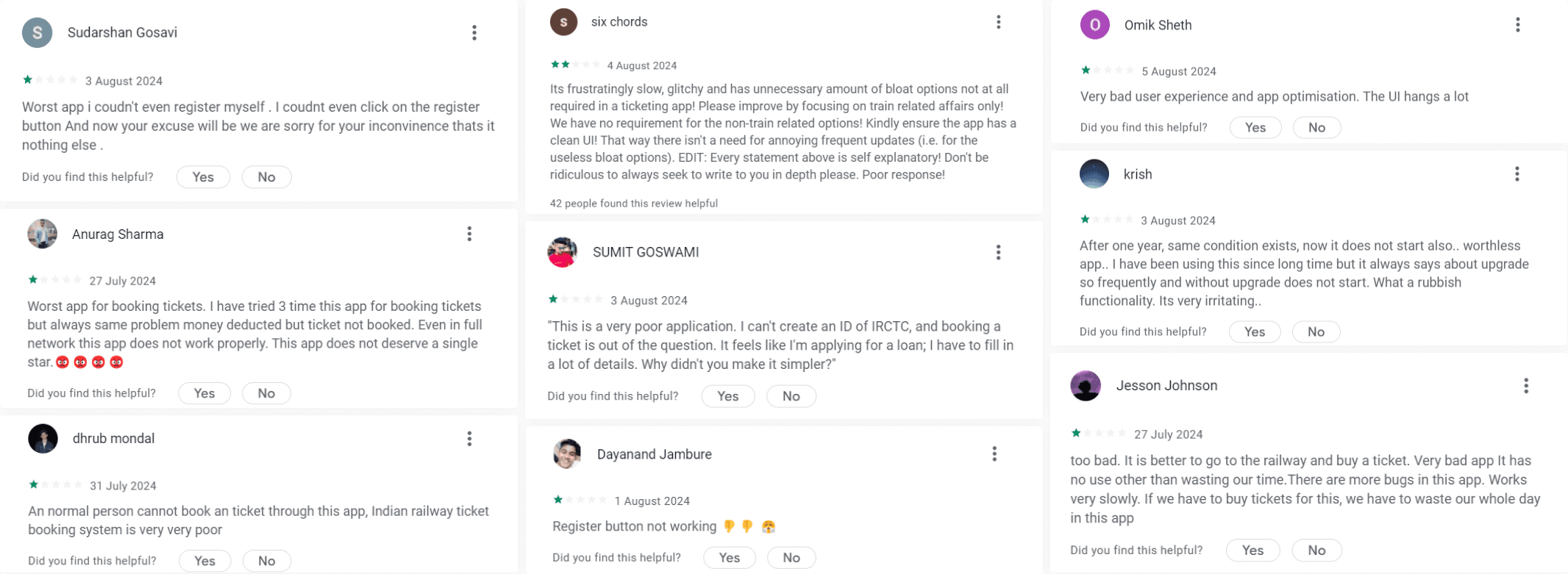
Key Takeaways - SWOT Analysis & Competitor Audit

  • Users find the app's interface overwhelming and difficult to navigate due to excessive clutter.

  • The app lacks a clear hierarchy, making it challenging for users to access important features like ticket booking.

  • UI components and styles vary across different sections, leading to a disjointed user experience.

  • Many useful features are not easily visible, hindering user engagement and functionality.

  • The app does not meet accessibility standards, making it difficult for users with disabilities to navigate.

  • There is a strong demand for a redesign that focuses on user needs and preferences to enhance usability.

Style Guide

Colour Palette

#34346A

#F5F5F5

#929292

#D4D5D7

Typography

Aa

Aa

Font

Inter

Aa

Inter

Bold

Aa

Inter

Semibold

Aa

Inter

Medium

Aa

Inter

Regular

Primary Blue: From the IRCTC logo - trust, reliability, tech-forward. Use for brand moments and primary actions.

Secondary Blue/Grey: Palette-matched for cohesion - calm, neutral. Use for tabs, chips, secondary CTAs.

Cool Greys: Subtle structure - backgrounds, dividers, states. Keep contrast accessible.

White: Clean canvas for readability and spacious layouts.

Usage: Prioritize clarity, limit saturation to actions, ensure AA/AAA contrast.

How to make the experience better?

  • Simplify the Interface

    • Declutter the screens by grouping related features and removing unnecessary elements

    • Use clear information hierarchy to make important functions like ticket booking easily accessible

  • Improve Navigation

    • Implement a more intuitive navigation structure with consistent icons and labels

    • Ensure key features are discoverable and easily found by users

  • Enhance Usability

    • Design for users of all ages and technical abilities

    • Optimize performance to reduce loading times and improve responsiveness

  • Adopt a Modern Design Language

    • Use a clean, contemporary visual style with a focus on legibility and ease of use

      Implement a consistent design system across all screens and modules

Visual Design

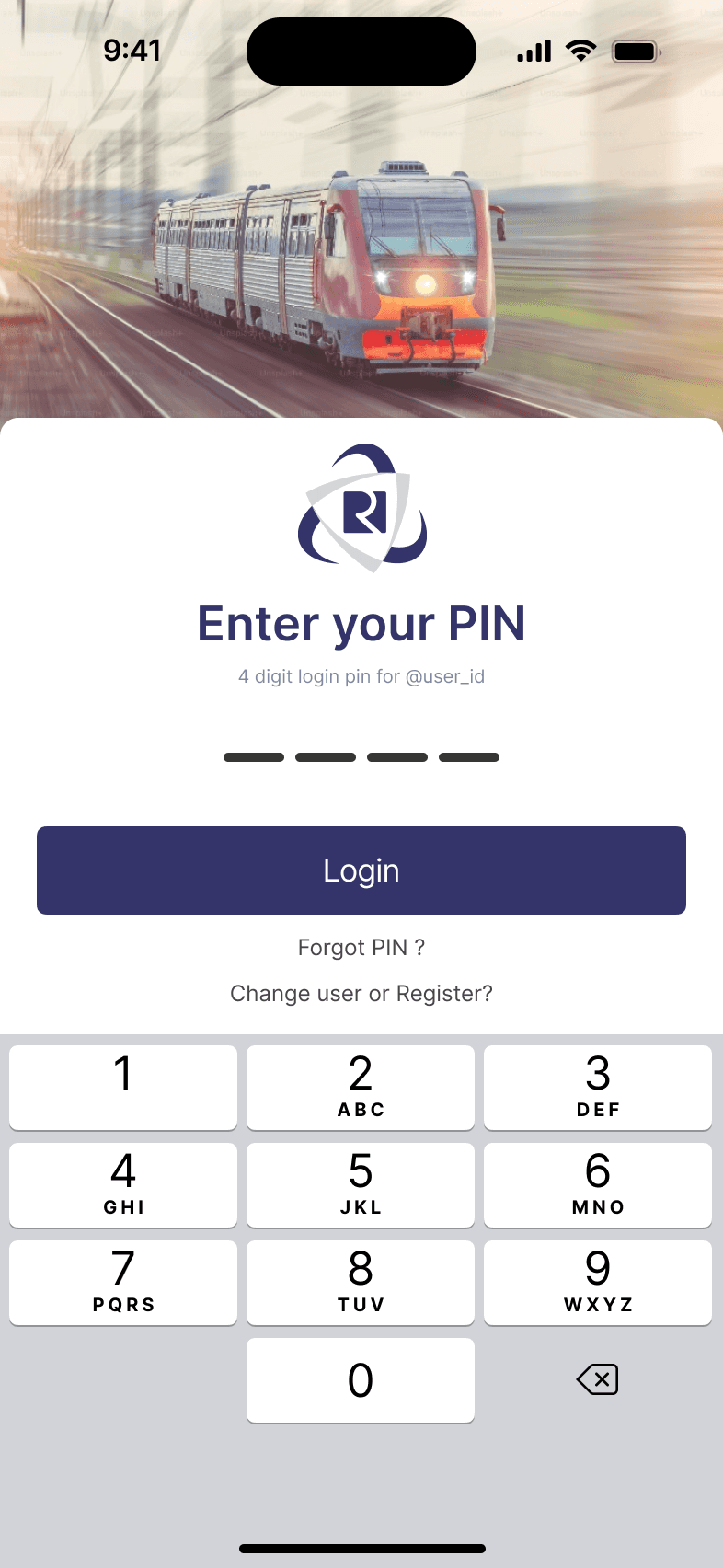
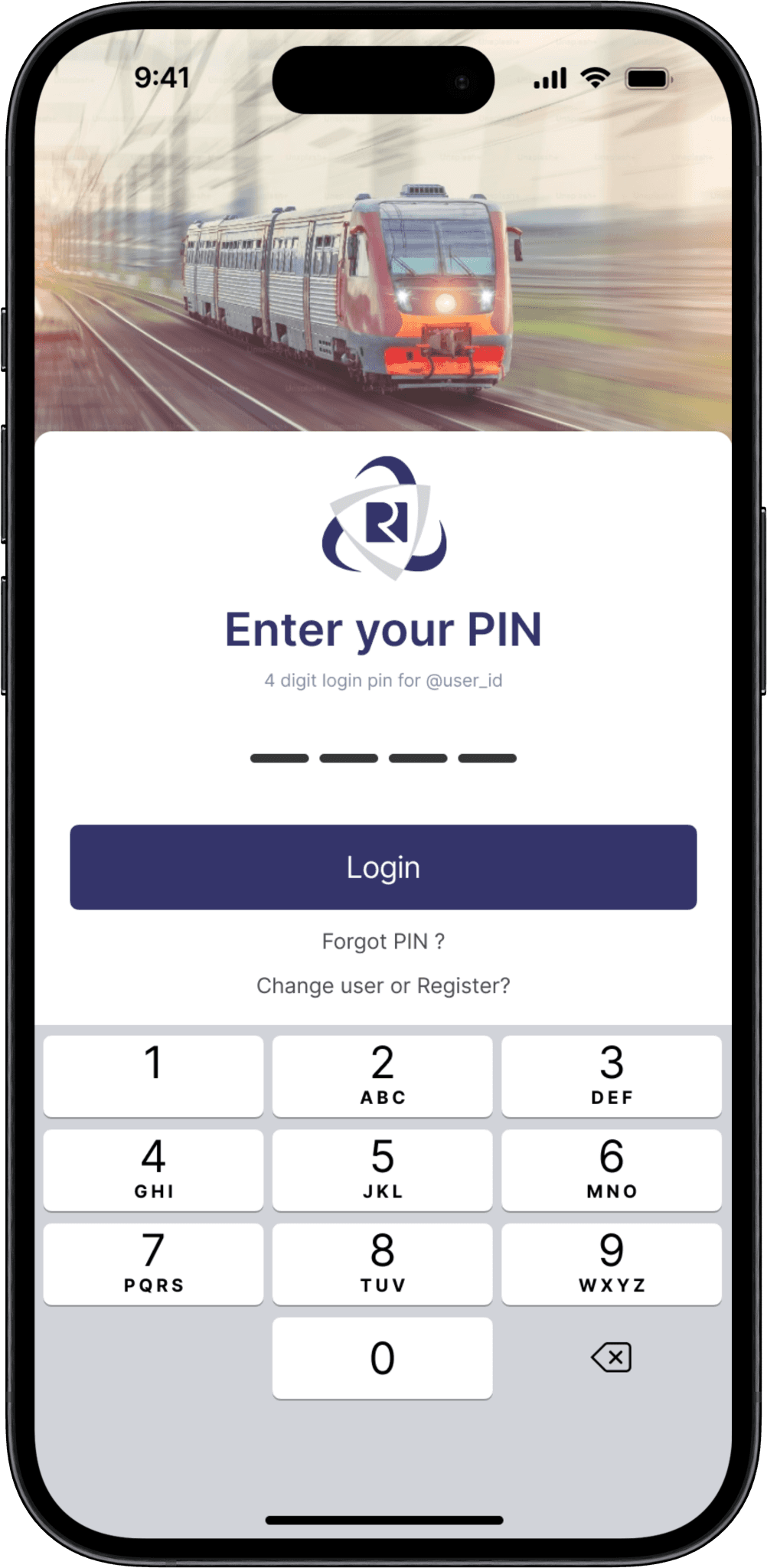
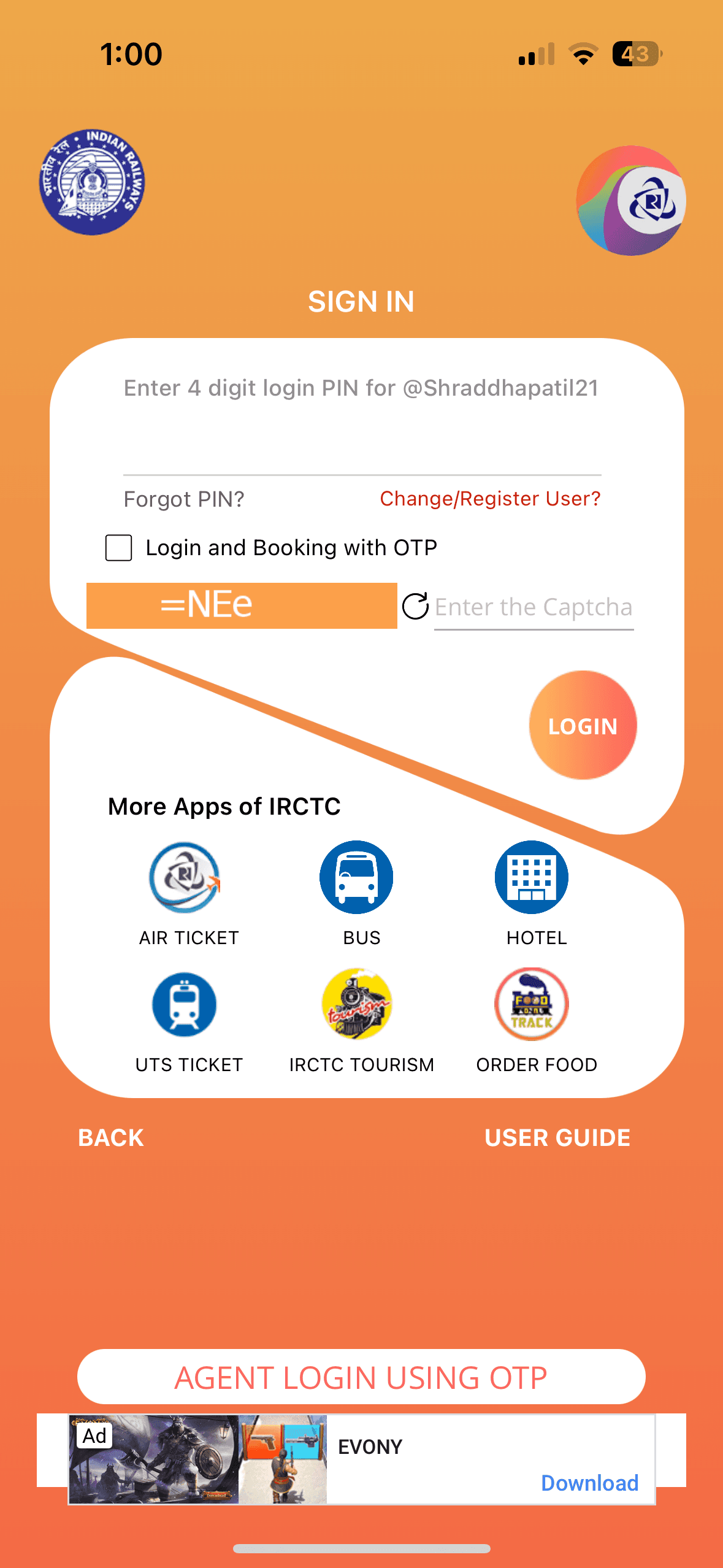
Login Screen - with PIN
Before

Before

Before

  • The login screen lacks visual cues to inform users about the required PIN format.

  • When an incorrect PIN is entered, the app provides insufficient guidance on how to rectify the mistake, leading to user frustration.

  • The excessive number of buttons on the login page creates confusion.

  • The login screen lacks visual cues to inform users about the required PIN format.

  • When an incorrect PIN is entered, the app provides insufficient guidance on how to rectify the mistake, leading to user frustration.

  • The excessive number of buttons on the login page creates confusion.

  • The login screen lacks visual cues to inform users about the required PIN format.

  • When an incorrect PIN is entered, the app provides insufficient guidance on how to rectify the mistake, leading to user frustration.

  • The excessive number of buttons on the login page creates confusion.

After

After

After

  • Revamped the user interface for a more streamlined and contemporary appearance, aligning with a user-focused design approach.

  • Streamlined 4-Digit PIN Login System.

  • Revamped the user interface for a more streamlined and contemporary appearance, aligning with a user-focused design approach.

  • Streamlined 4-Digit PIN Login System.

  • Revamped the user interface for a more streamlined and contemporary appearance, aligning with a user-focused design approach.

  • Streamlined 4-Digit PIN Login System.

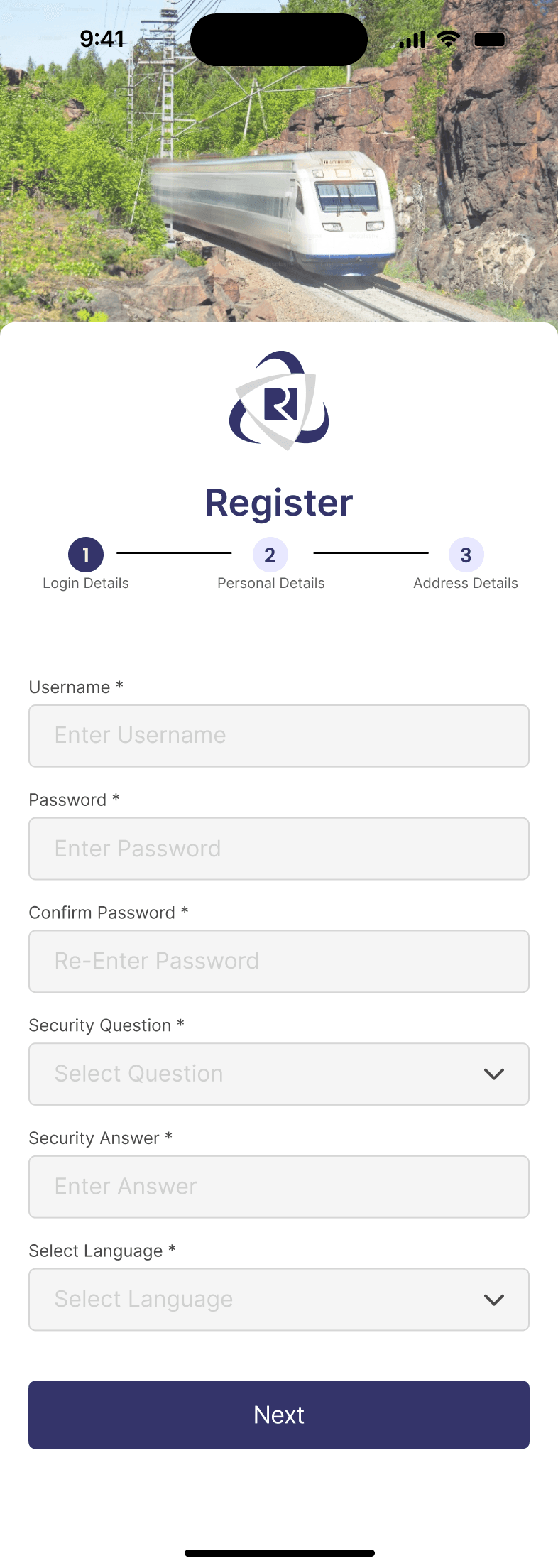
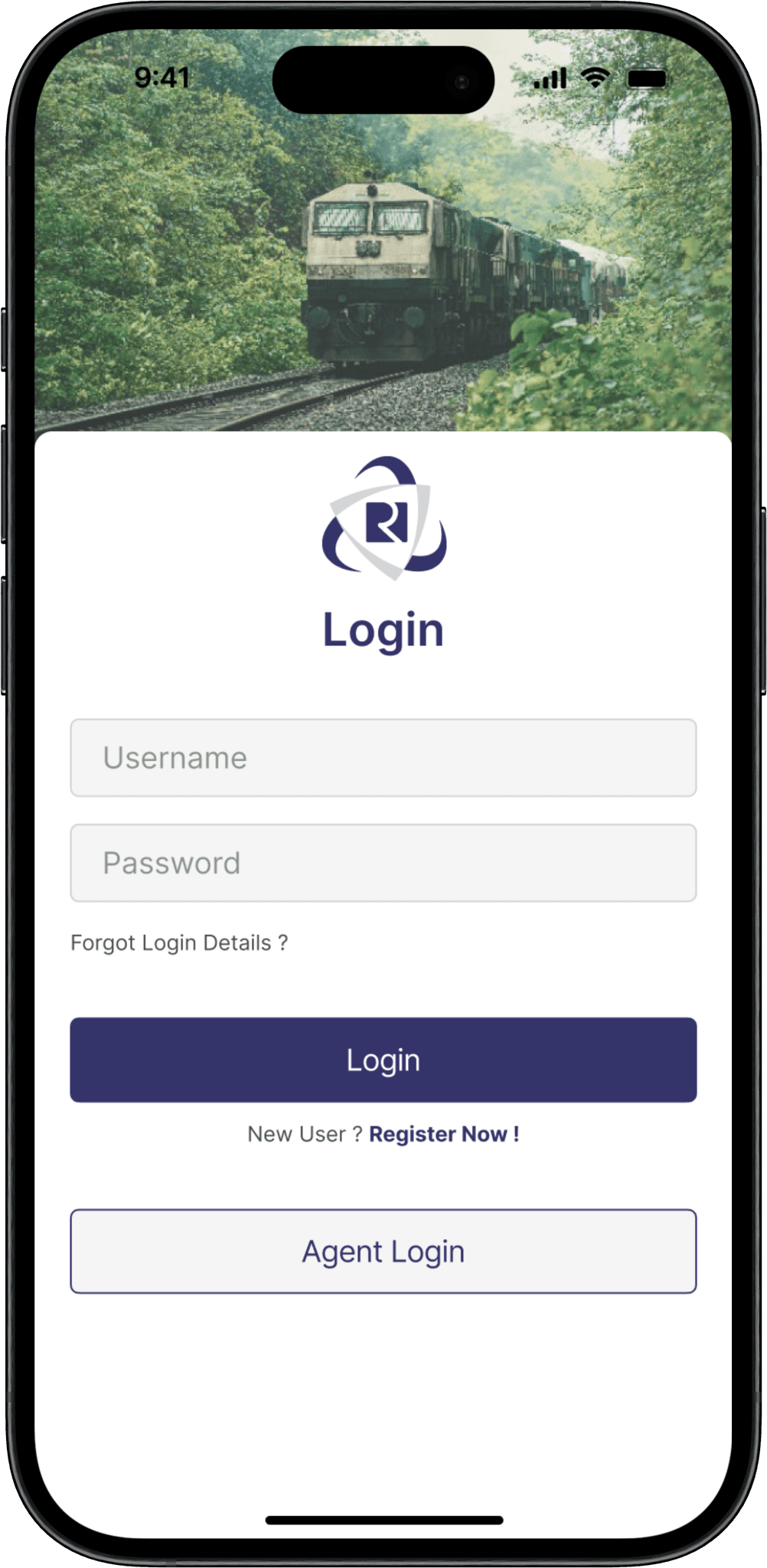
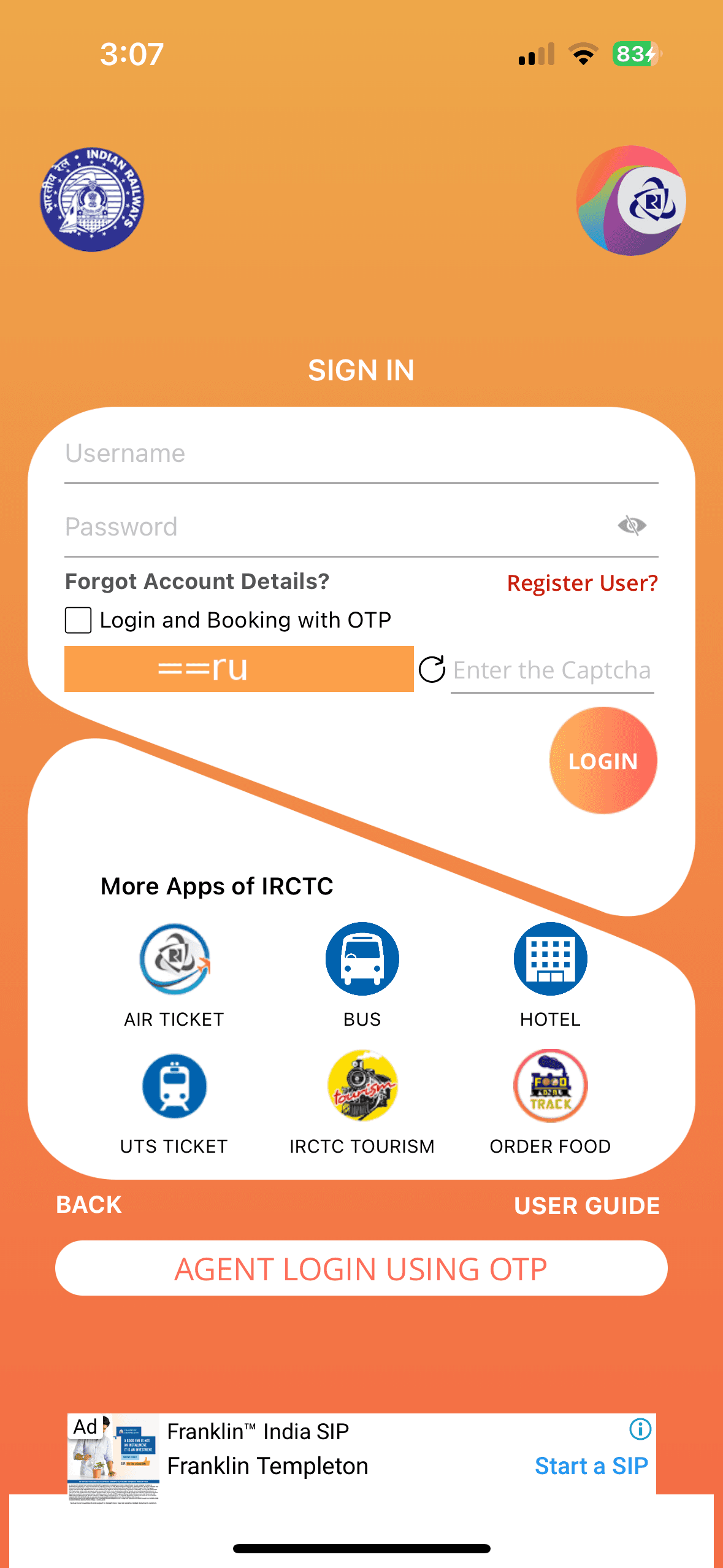
Login Screen - with Username & Password
Before

Before

Before

  • The login screen lacks clear visual cues to guide users towards the primary action area.

  • The cluttered interface and multiple login options create uncertainty for first-time users about the preferred login method.

  • The excessive number of buttons and login options on the screen leads to cognitive overload, making it difficult for users to focus on the core task of logging in.

  • The login screen lacks clear visual cues to guide users towards the primary action area.

  • The cluttered interface and multiple login options create uncertainty for first-time users about the preferred login method.

  • The excessive number of buttons and login options on the screen leads to cognitive overload, making it difficult for users to focus on the core task of logging in.

  • The login screen lacks clear visual cues to guide users towards the primary action area.

  • The cluttered interface and multiple login options create uncertainty for first-time users about the preferred login method.

  • The excessive number of buttons and login options on the screen leads to cognitive overload, making it difficult for users to focus on the core task of logging in.

After

After

After

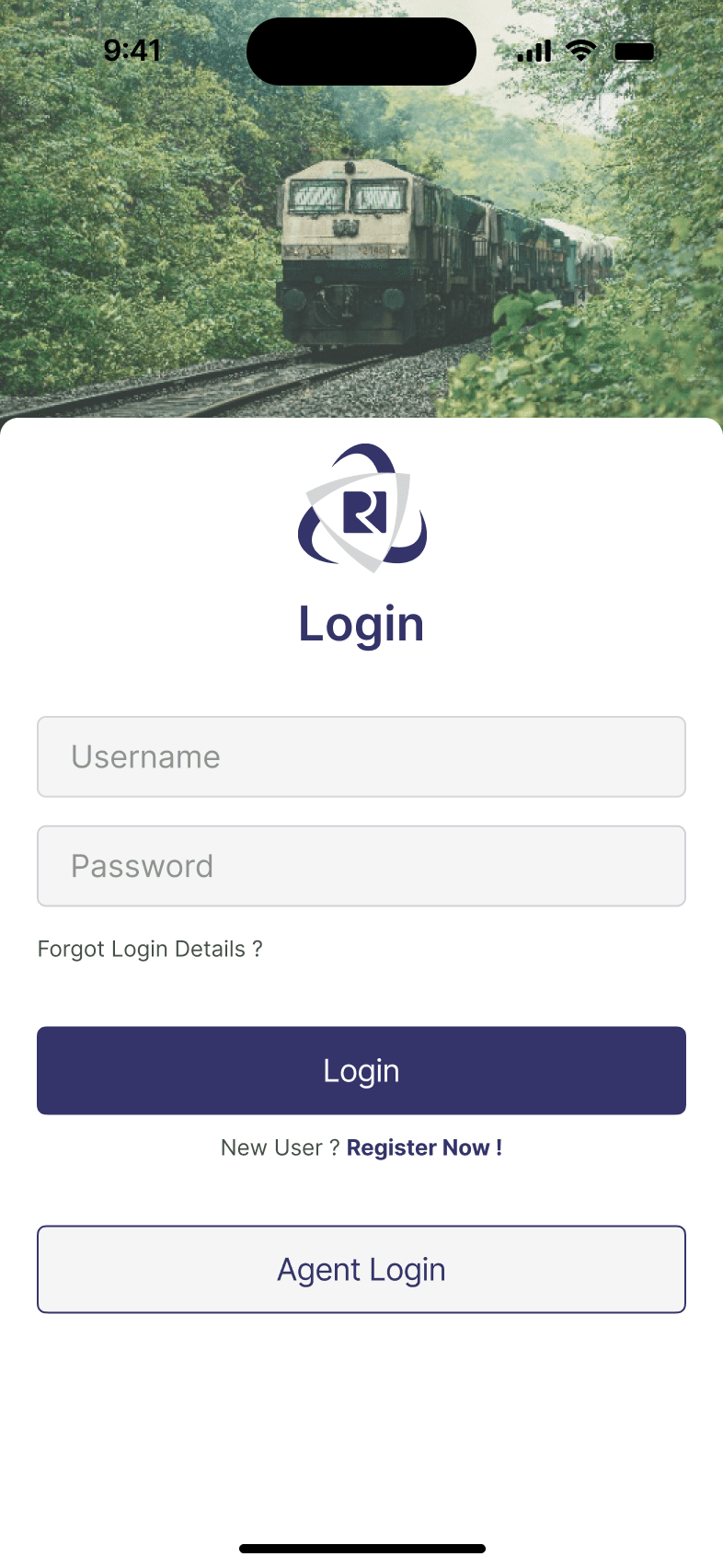
  • Established a clear visual hierarchy by making the Login field the most prominent element on the screen.

  • Provided a "New User" link that leads to a separate registration flow, keeping the login screen uncluttered.

  • Removed unnecessary buttons, links, and visual elements from the login screen to reduce clutter and create a minimalistic interface.

  • Established a clear visual hierarchy by making the Login field the most prominent element on the screen.

  • Provided a "New User" link that leads to a separate registration flow, keeping the login screen uncluttered.

  • Removed unnecessary buttons, links, and visual elements from the login screen to reduce clutter and create a minimalistic interface.

  • Established a clear visual hierarchy by making the Login field the most prominent element on the screen.

  • Provided a "New User" link that leads to a separate registration flow, keeping the login screen uncluttered.

  • Removed unnecessary buttons, links, and visual elements from the login screen to reduce clutter and create a minimalistic interface.

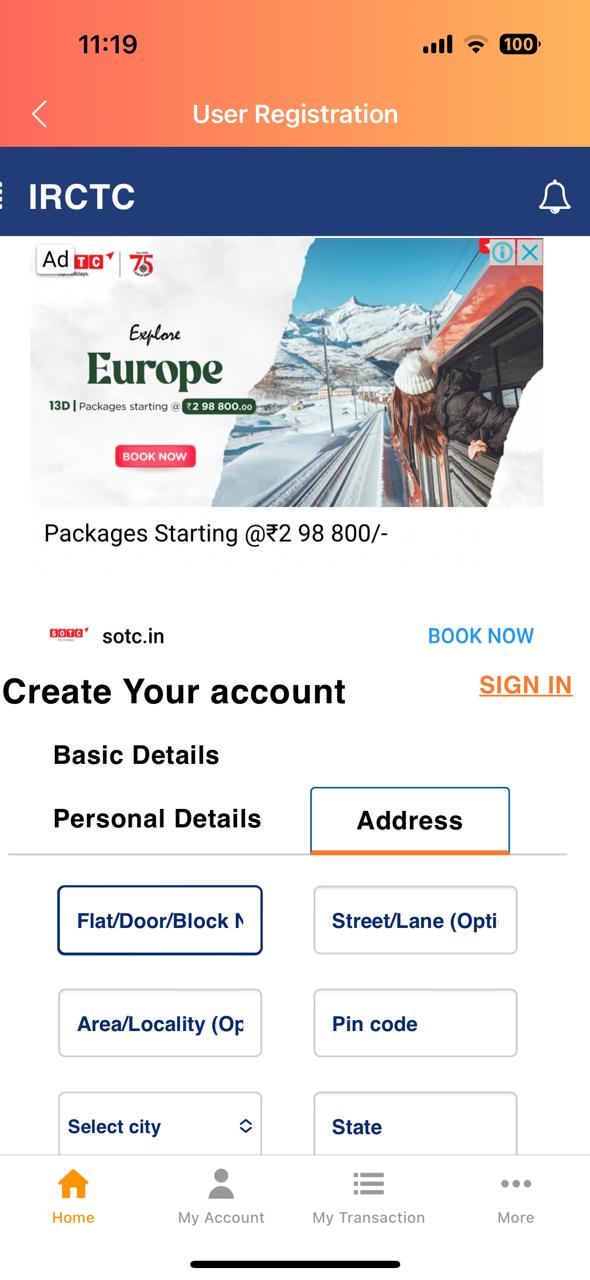
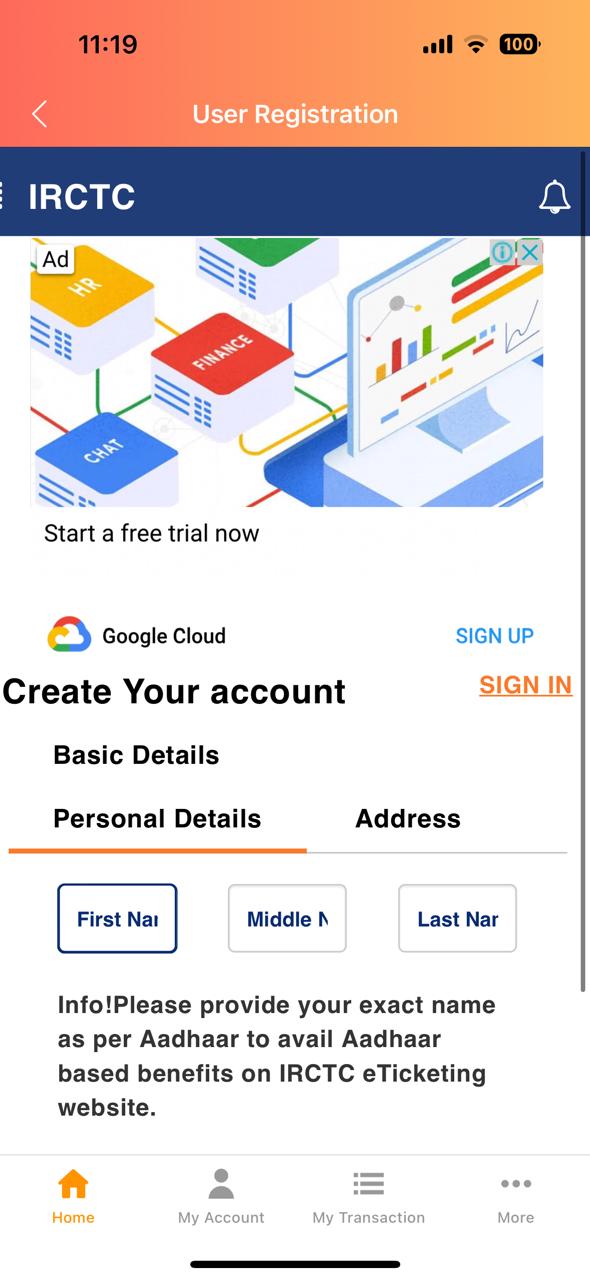
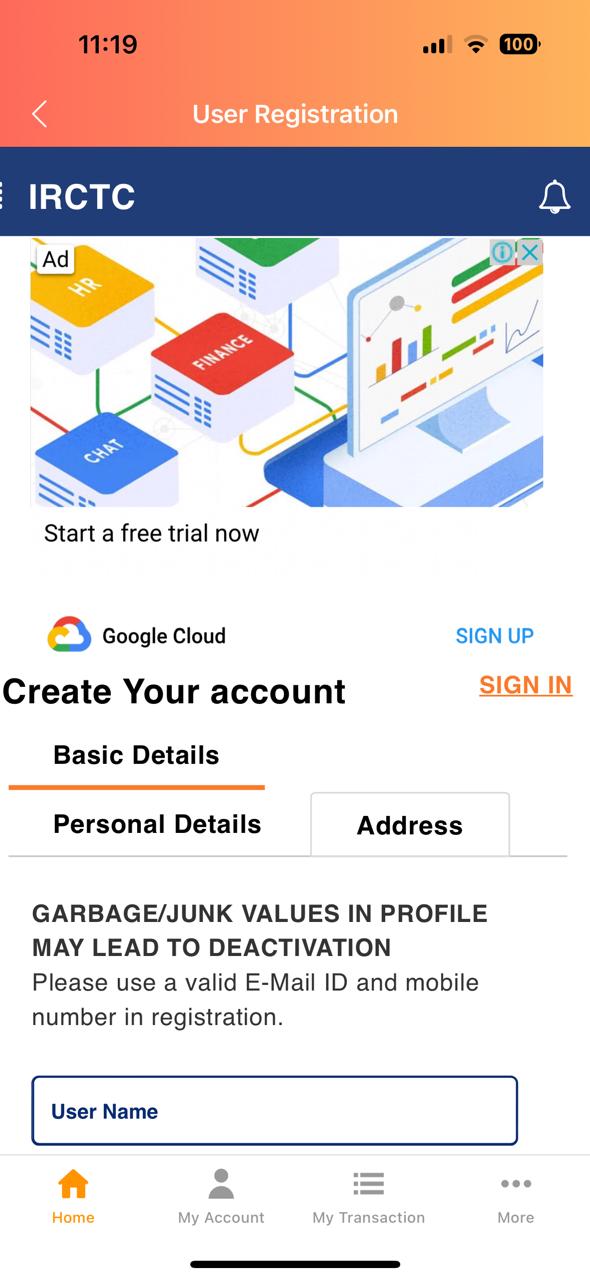
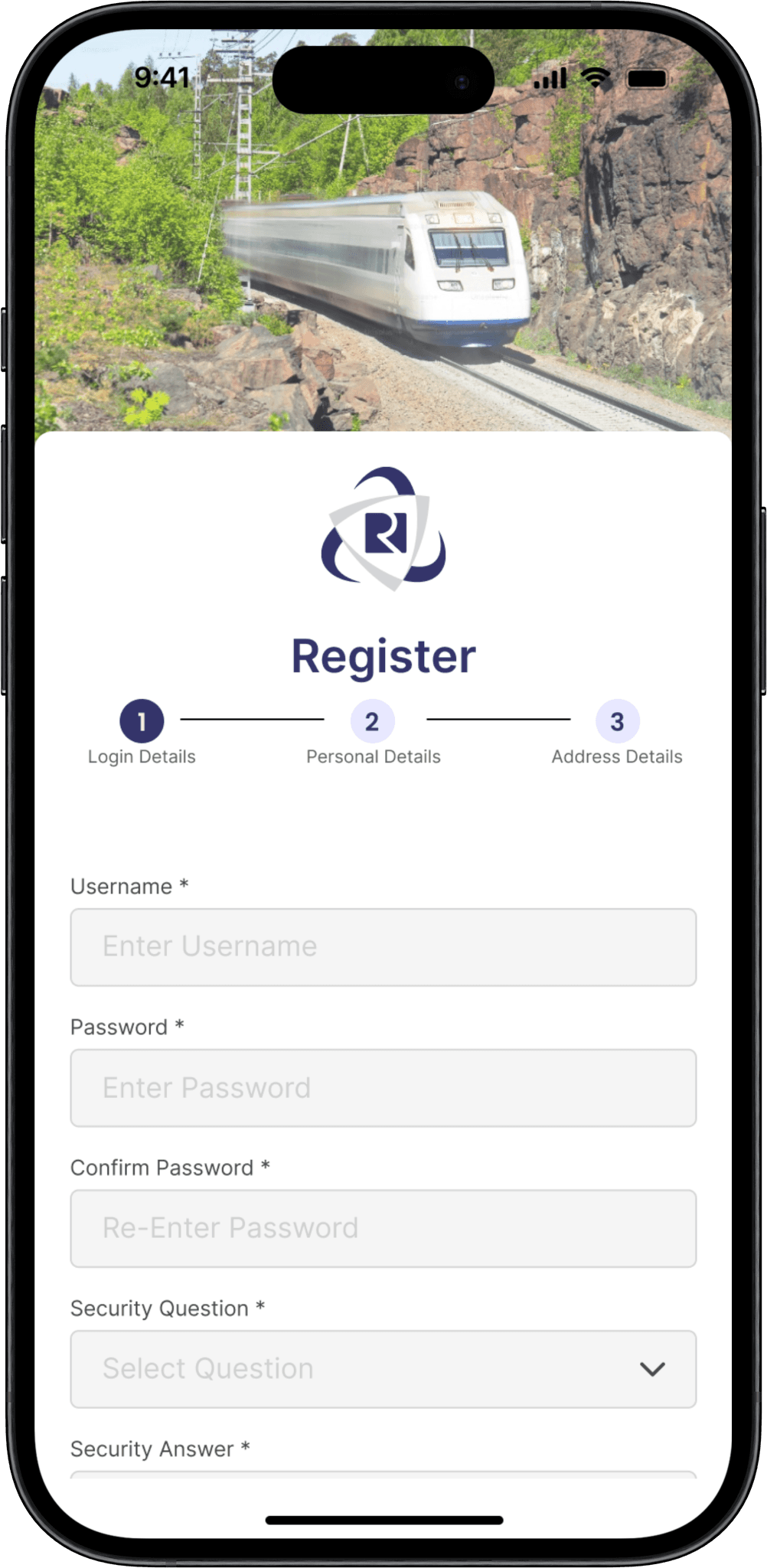
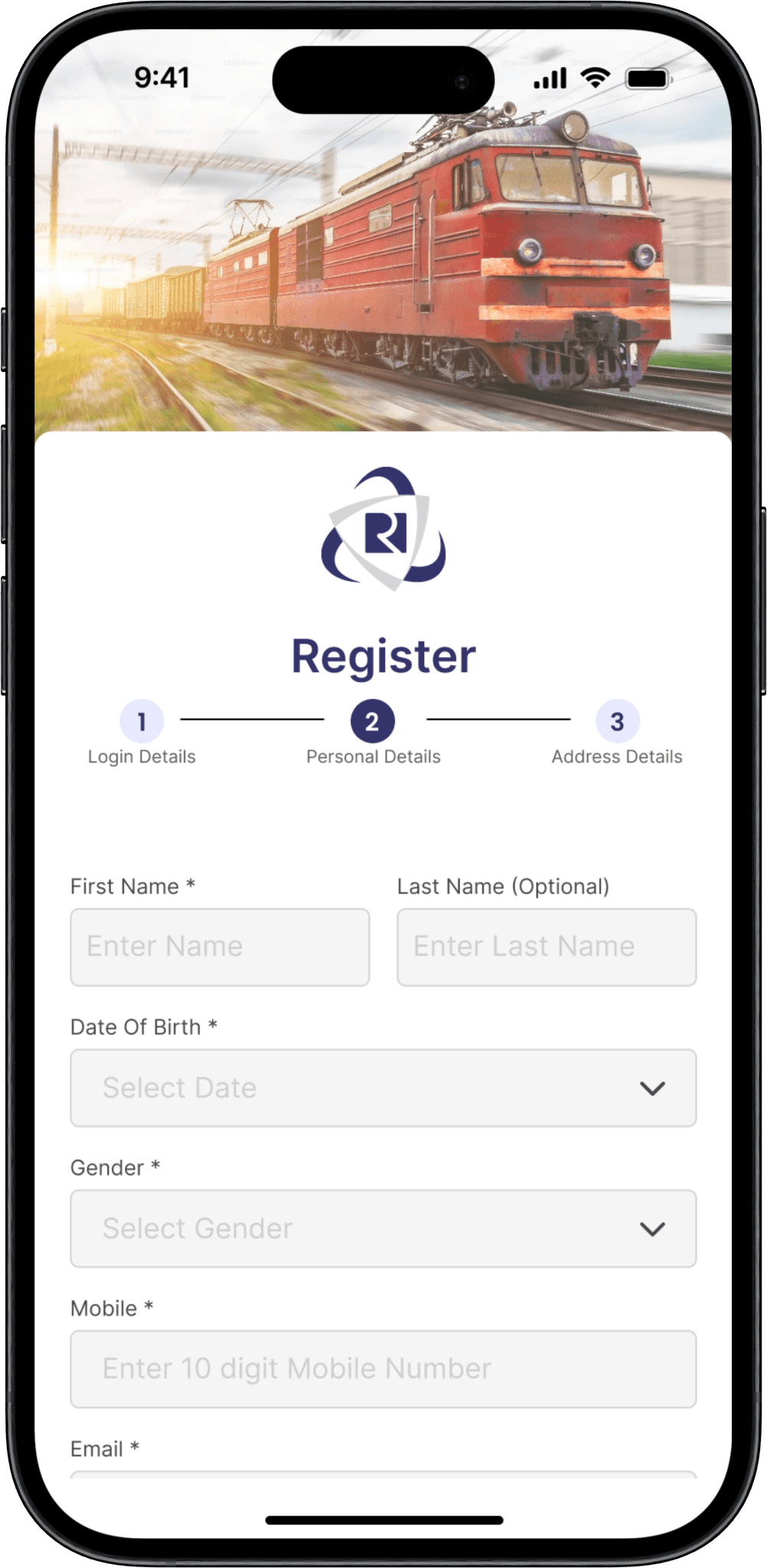
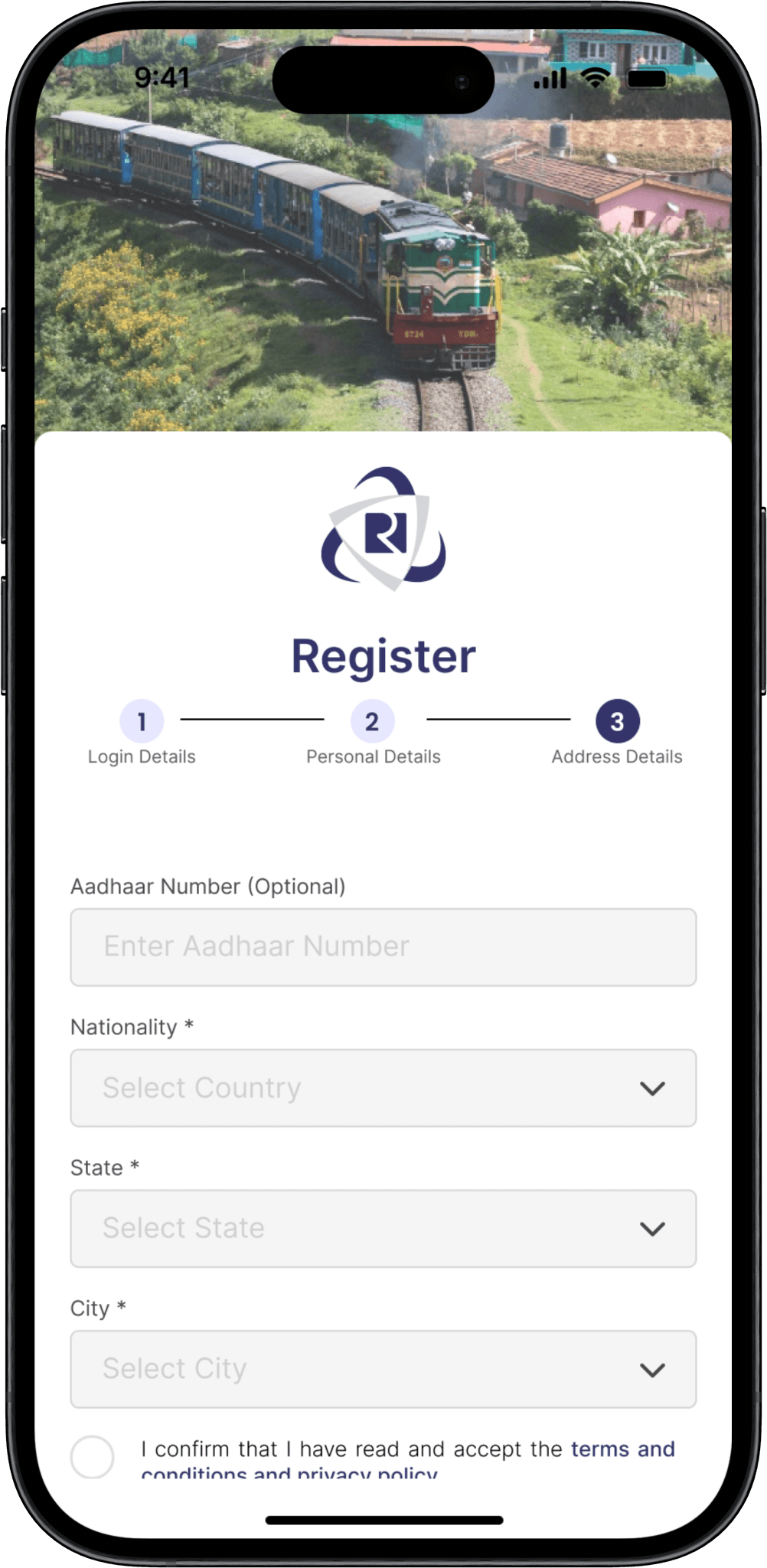
Login Screen - with Username & Password
Before

Before

Before

  • The presence of multiple headers creates confusion, making it difficult for users to focus on the primary registration task.

  • Advertisements on the registration screen distract users from the main purpose, hindering their ability to complete the registration process efficiently.

  • The input fields are too small and poorly arranged, contributing to a cluttered appearance that complicates data entry for users.

  • There is no clear distinction between mandatory and optional input fields, leaving users uncertain about what information is required.

  • The presence of multiple headers creates confusion, making it difficult for users to focus on the primary registration task.

  • Advertisements on the registration screen distract users from the main purpose, hindering their ability to complete the registration process efficiently.

  • The input fields are too small and poorly arranged, contributing to a cluttered appearance that complicates data entry for users.

  • There is no clear distinction between mandatory and optional input fields, leaving users uncertain about what information is required.

  • The presence of multiple headers creates confusion, making it difficult for users to focus on the primary registration task.

  • Advertisements on the registration screen distract users from the main purpose, hindering their ability to complete the registration process efficiently.

  • The input fields are too small and poorly arranged, contributing to a cluttered appearance that complicates data entry for users.

  • There is no clear distinction between mandatory and optional input fields, leaving users uncertain about what information is required.

After

After

After

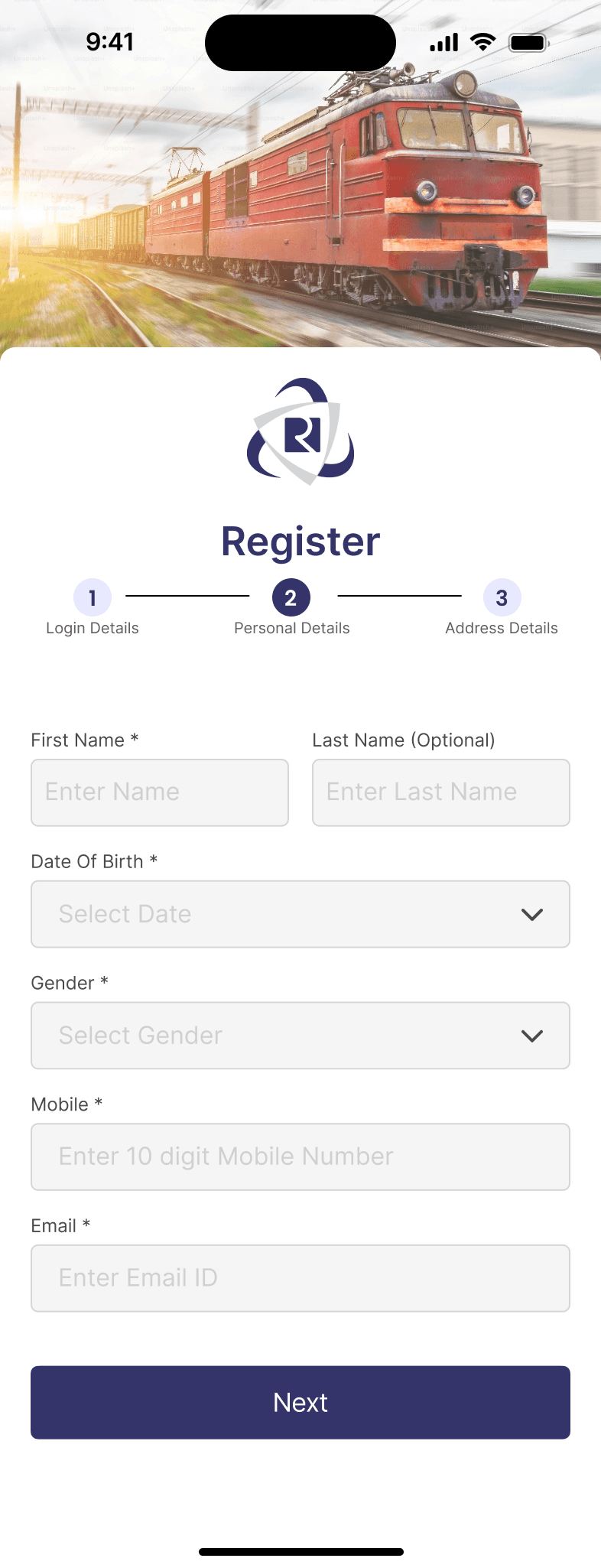
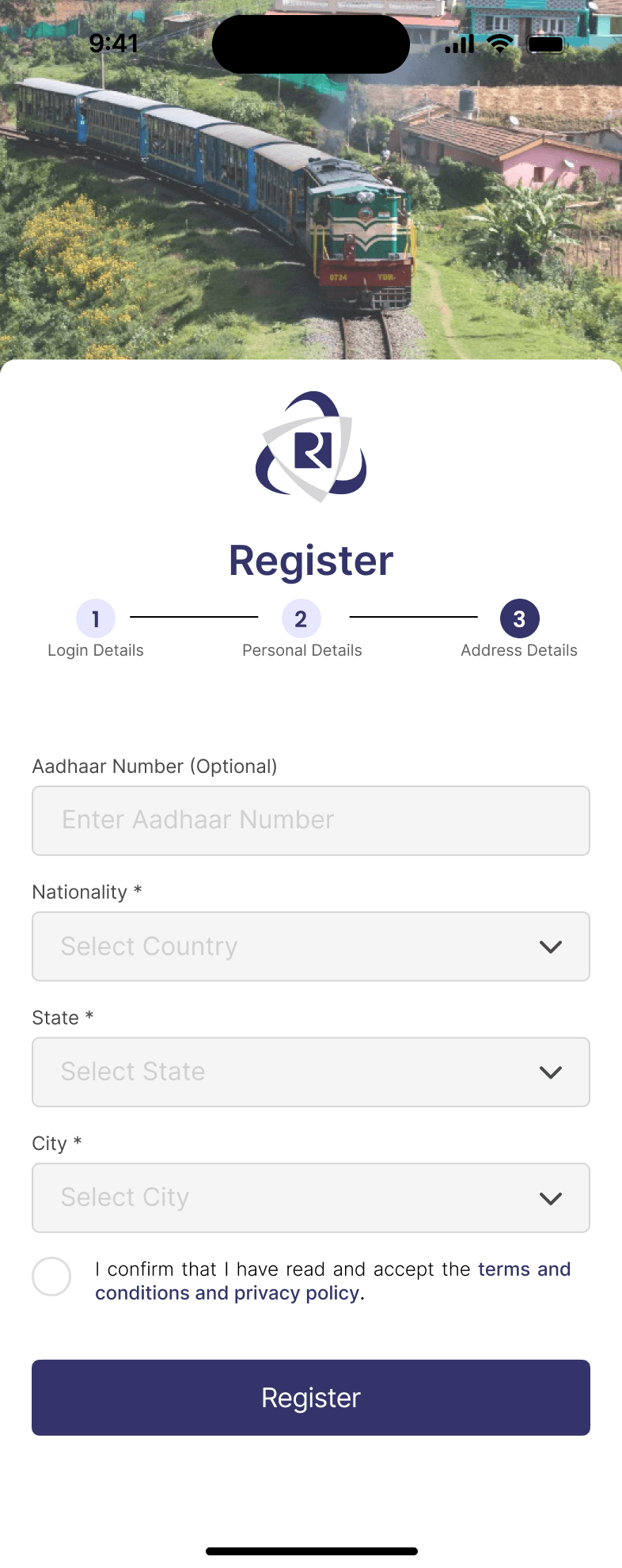
  • Limit the number of headers on the registration screen to one clear title that indicates the purpose of the page, enhancing focus and clarity.

  • Remove ads to ensure they do not interfere with the user experience.

  • Increased the size of input boxes with adequate padding to make the interface more visually appealing.

  • Clearly mark mandatory fields with an asterisk (*) and provide tooltips or helper text to inform users about optional fields.

  • Design a straightforward registration process with clear next steps, ensuring users understand how to proceed after completing each section.

  • Limit the number of headers on the registration screen to one clear title that indicates the purpose of the page, enhancing focus and clarity.

  • Remove ads to ensure they do not interfere with the user experience.

  • Increased the size of input boxes with adequate padding to make the interface more visually appealing.

  • Clearly mark mandatory fields with an asterisk (*) and provide tooltips or helper text to inform users about optional fields.

  • Design a straightforward registration process with clear next steps, ensuring users understand how to proceed after completing each section.

  • Limit the number of headers on the registration screen to one clear title that indicates the purpose of the page, enhancing focus and clarity.

  • Remove ads to ensure they do not interfere with the user experience.

  • Increased the size of input boxes with adequate padding to make the interface more visually appealing.

  • Clearly mark mandatory fields with an asterisk (*) and provide tooltips or helper text to inform users about optional fields.

  • Design a straightforward registration process with clear next steps, ensuring users understand how to proceed after completing each section.

Home Page

Before

Before

Before

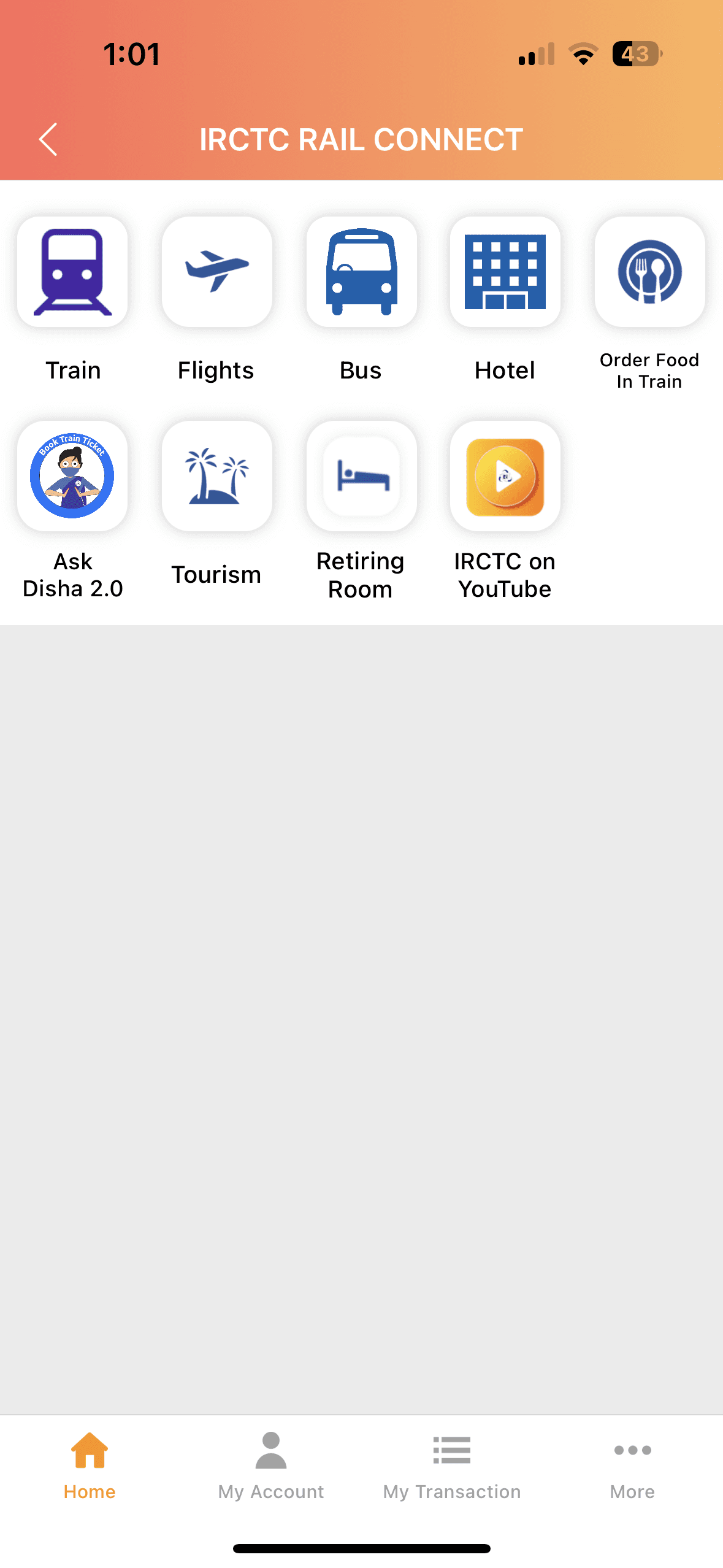
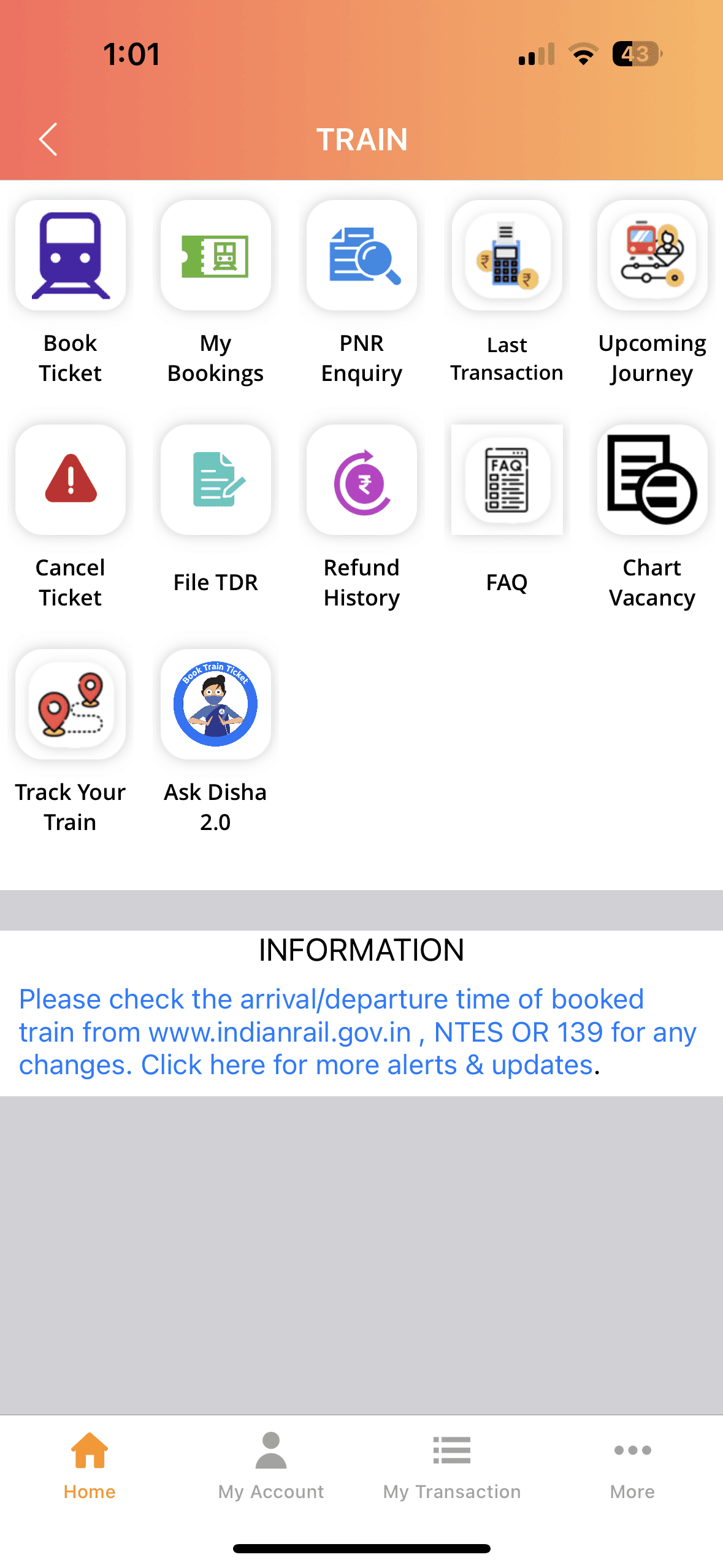
  • The convoluted navigation requires multiple steps to book a train ticket, leading to user frustration and abandonment.

  • A noisy interface with lot of unnecessary things on the home page overwhelms users, making it difficult to focus on essential tasks like ticket booking.

  • New users find the app confusing due to its complexity and lack of guidance, deterring engagement.

  • Complicated workflows for simple tasks, such as ticket booking, discourage users from completing transactions.

  • Poor padding and spacing for the buttons and there is no uniformity in icon sizes making the page feel unappealing

  • The convoluted navigation requires multiple steps to book a train ticket, leading to user frustration and abandonment.

  • A noisy interface with lot of unnecessary things on the home page overwhelms users, making it difficult to focus on essential tasks like ticket booking.

  • New users find the app confusing due to its complexity and lack of guidance, deterring engagement.

  • Complicated workflows for simple tasks, such as ticket booking, discourage users from completing transactions.

  • Poor padding and spacing for the buttons and there is no uniformity in icon sizes making the page feel unappealing

  • The convoluted navigation requires multiple steps to book a train ticket, leading to user frustration and abandonment.

  • A noisy interface with lot of unnecessary things on the home page overwhelms users, making it difficult to focus on essential tasks like ticket booking.

  • New users find the app confusing due to its complexity and lack of guidance, deterring engagement.

  • Complicated workflows for simple tasks, such as ticket booking, discourage users from completing transactions.

  • Poor padding and spacing for the buttons and there is no uniformity in icon sizes making the page feel unappealing

After

After

After

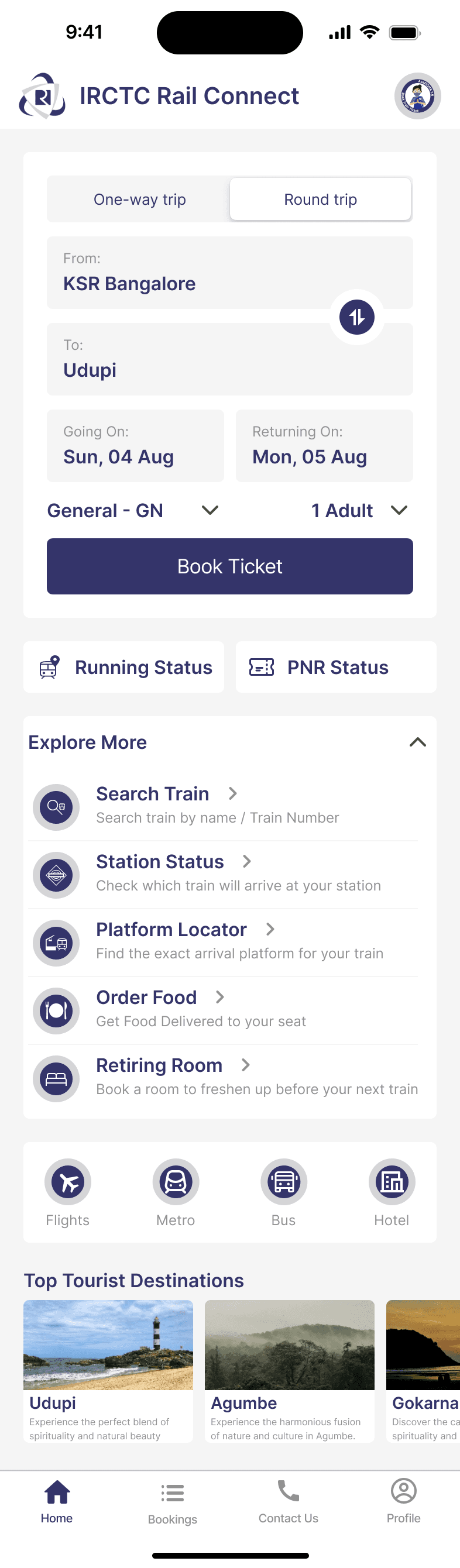
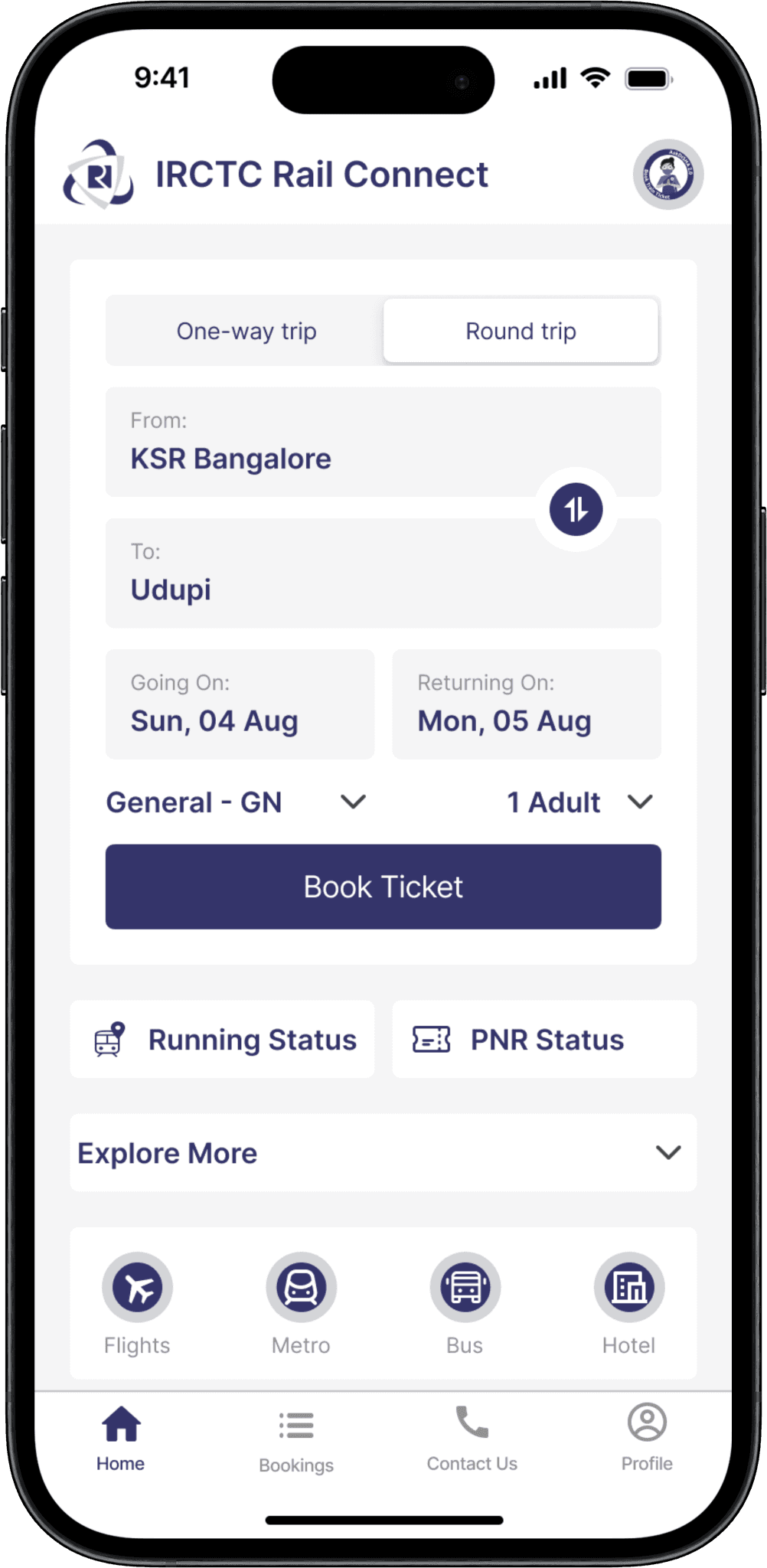
  • The redesigned tab bar includes:

    Home: Retained for quick access to essential features.

    Profile: Renamed from "My Account" for familiarity with popular apps.

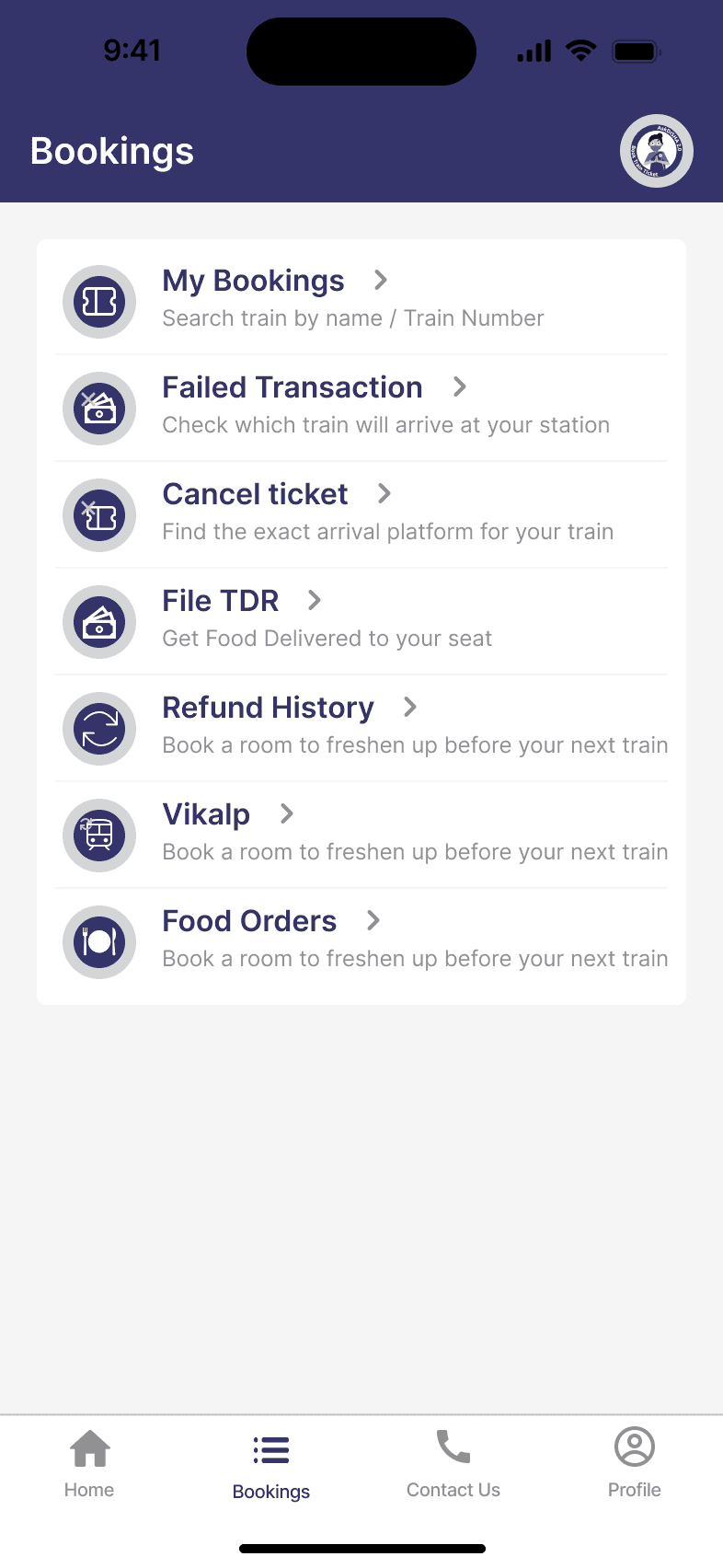
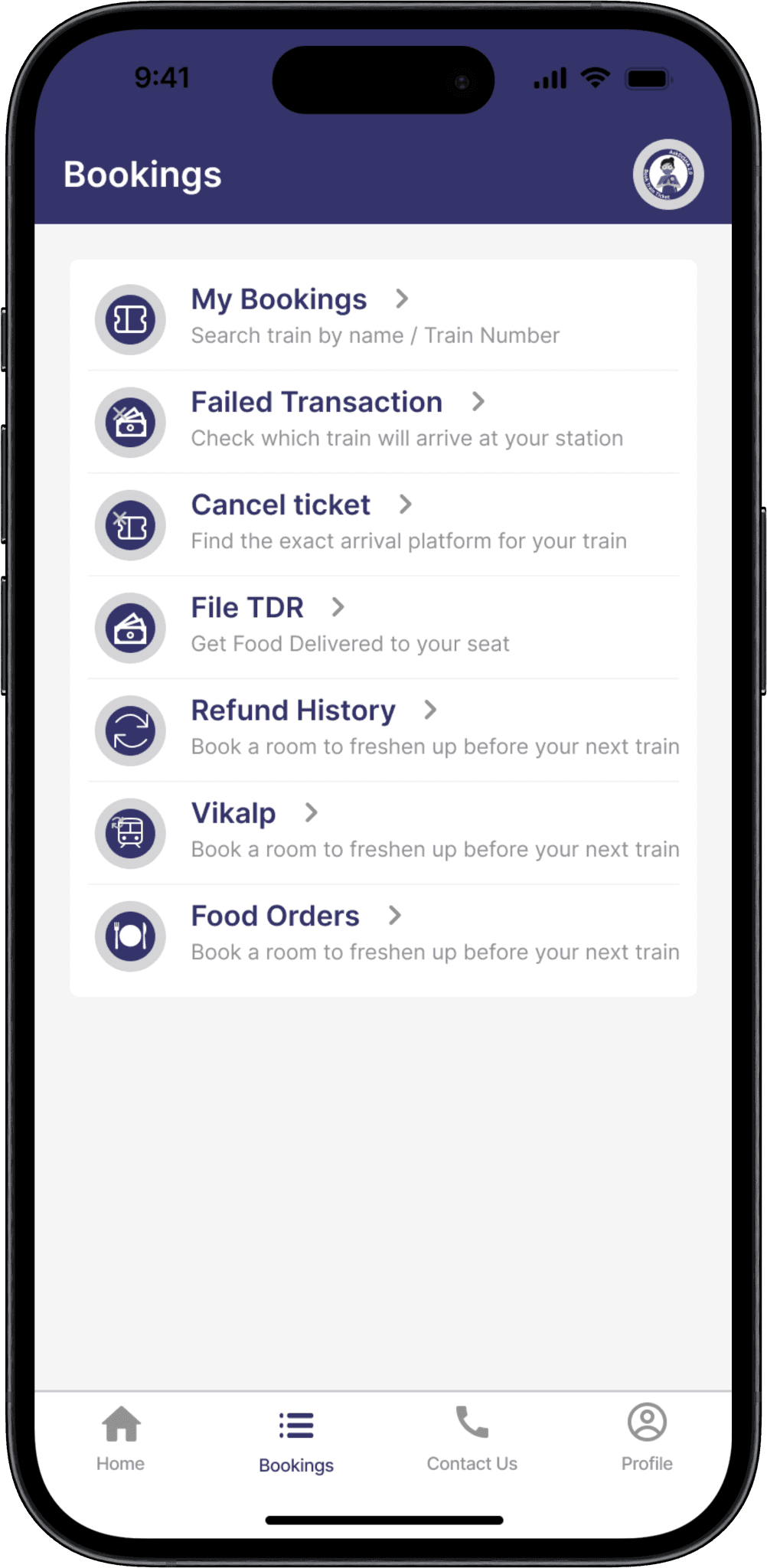
    Bookings: Replaces "Transactions" to consolidate ticket-related details like bookings, cancellations, and transactions.

    Contact Us: Provides easy access to guides, help, and customer support.

    This streamlined tab bar groups related functions together, simplifying navigation and improving user experience.

  • The redesigned tab bar includes:

    Home: Retained for quick access to essential features.

    Profile: Renamed from "My Account" for familiarity with popular apps.

    Bookings: Replaces "Transactions" to consolidate ticket-related details like bookings, cancellations, and transactions.

    Contact Us: Provides easy access to guides, help, and customer support.

    This streamlined tab bar groups related functions together, simplifying navigation and improving user experience.

  • The redesigned tab bar includes:

    Home: Retained for quick access to essential features.

    Profile: Renamed from "My Account" for familiarity with popular apps.

    Bookings: Replaces "Transactions" to consolidate ticket-related details like bookings, cancellations, and transactions.

    Contact Us: Provides easy access to guides, help, and customer support.

    This streamlined tab bar groups related functions together, simplifying navigation and improving user experience.

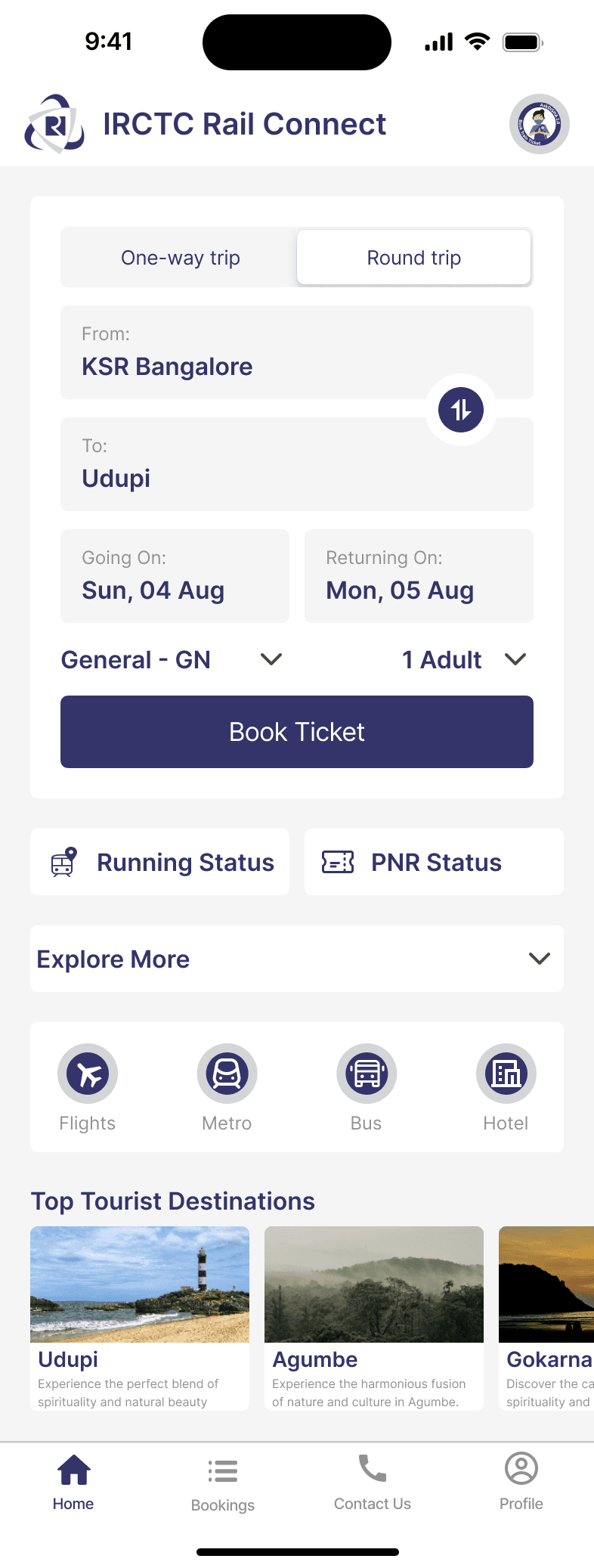
  • Streamlined the ticket booking process by reducing the number of steps required

  • Limit the number of features displayed on the homepage to focus on the most critical tasks, such as ticket booking and is achieved by using collapsible menus or tabs to organize secondary features.

  • Introduced a clean, minimalist design that focuses on the core functionality of ticket booking

  • Use clear hierarchy, spacing, and typography to make the interface visually appealing and easy to scan

  • Ticket booking is prioritized with a clear visual hierarchy, and ensuring that only the essential tasks are displayed on the homepage.

  • Streamlined the ticket booking process by reducing the number of steps required

  • Limit the number of features displayed on the homepage to focus on the most critical tasks, such as ticket booking and is achieved by using collapsible menus or tabs to organize secondary features.

  • Introduced a clean, minimalist design that focuses on the core functionality of ticket booking

  • Use clear hierarchy, spacing, and typography to make the interface visually appealing and easy to scan

  • Ticket booking is prioritized with a clear visual hierarchy, and ensuring that only the essential tasks are displayed on the homepage.

  • Streamlined the ticket booking process by reducing the number of steps required

  • Limit the number of features displayed on the homepage to focus on the most critical tasks, such as ticket booking and is achieved by using collapsible menus or tabs to organize secondary features.

  • Introduced a clean, minimalist design that focuses on the core functionality of ticket booking

  • Use clear hierarchy, spacing, and typography to make the interface visually appealing and easy to scan

  • Ticket booking is prioritized with a clear visual hierarchy, and ensuring that only the essential tasks are displayed on the homepage.

Bookings Page

Before

Before

Before

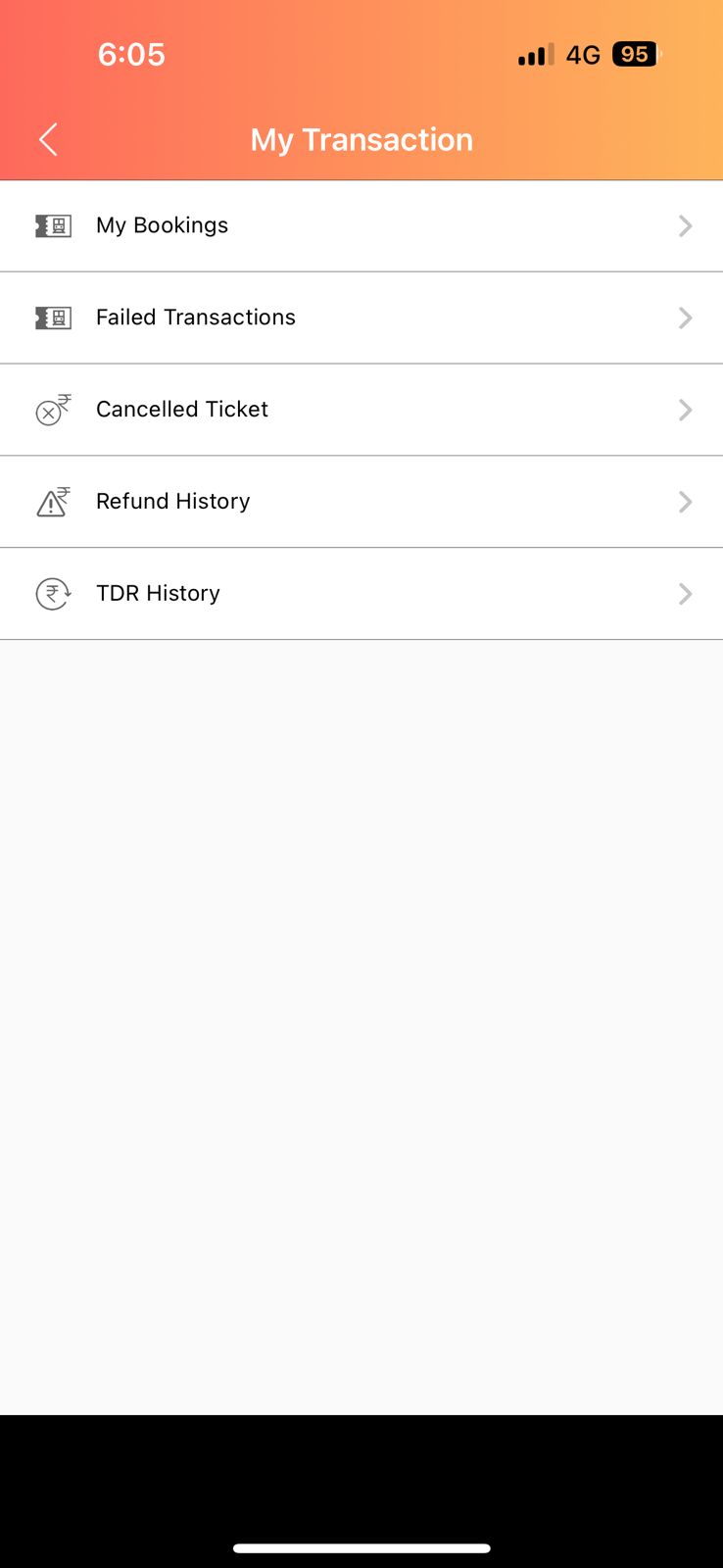
  • The transaction page primarily displays booking details but lacks key features like the ability to cancel or modify bookings directly from the page.

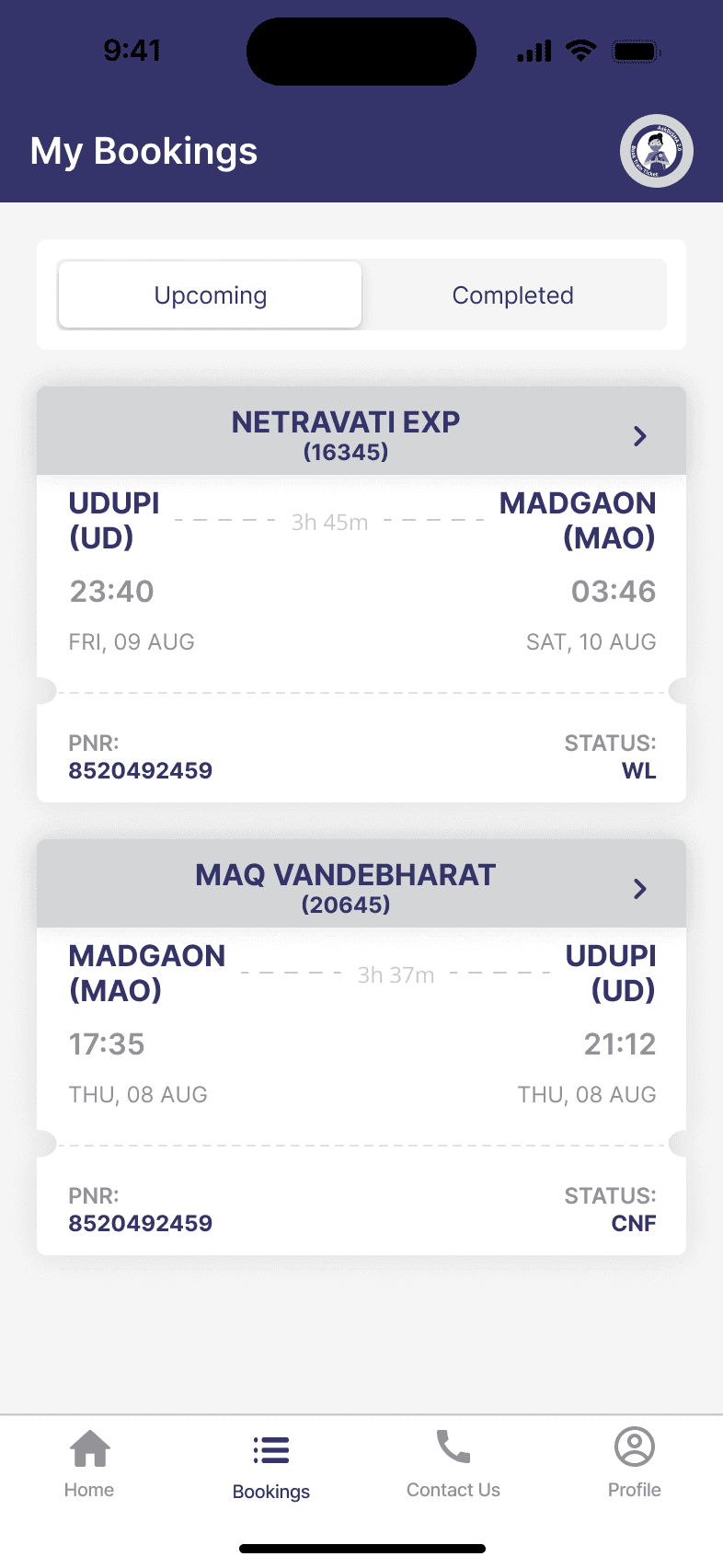
  • The page lacks contextual information related to the booking status, such as whether the ticket is confirmed or waitlisted.

  • Users have to navigate to separate screens to check the status.

  • The transaction page primarily displays booking details but lacks key features like the ability to cancel or modify bookings directly from the page.

  • The page lacks contextual information related to the booking status, such as whether the ticket is confirmed or waitlisted.

  • Users have to navigate to separate screens to check the status.

  • The transaction page primarily displays booking details but lacks key features like the ability to cancel or modify bookings directly from the page.

  • The page lacks contextual information related to the booking status, such as whether the ticket is confirmed or waitlisted.

  • Users have to navigate to separate screens to check the status.

After

After

After

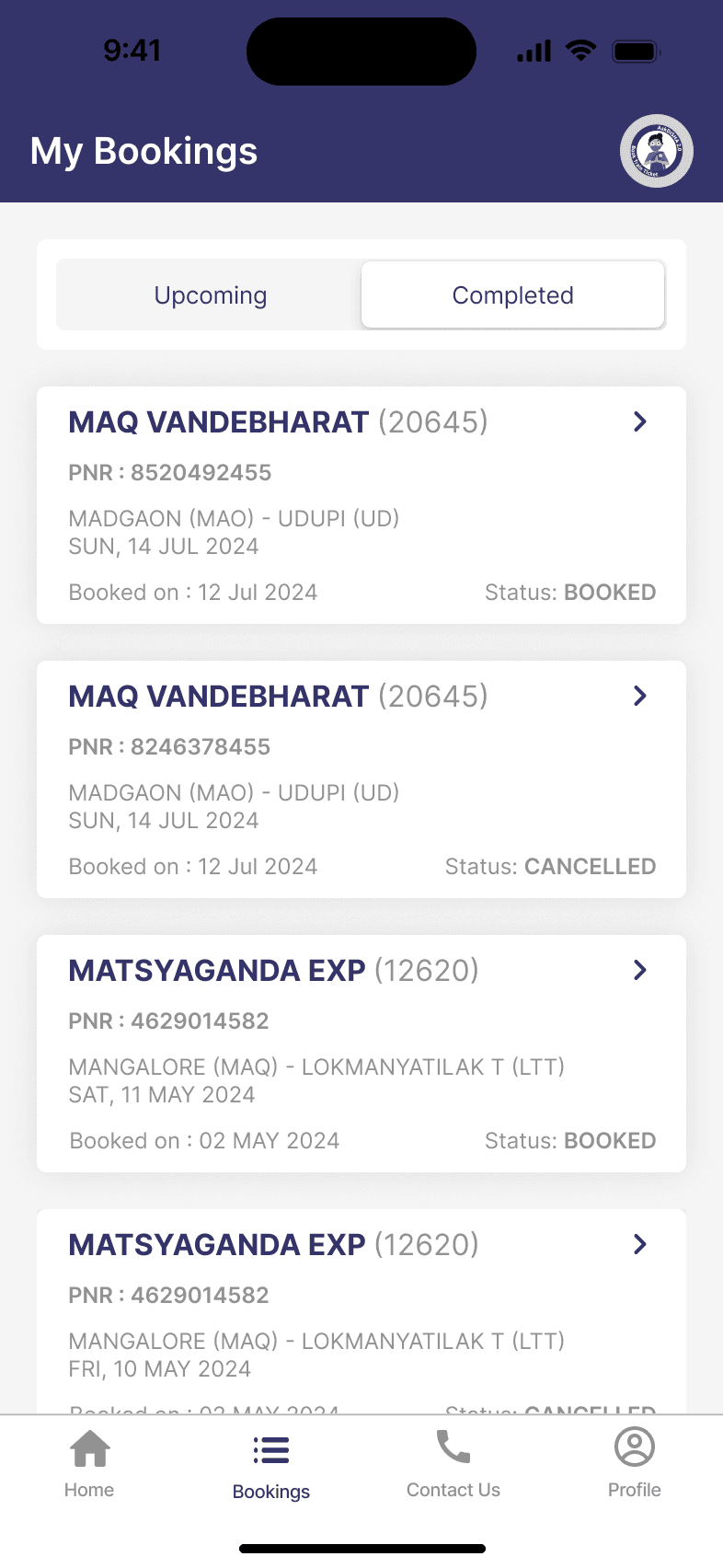
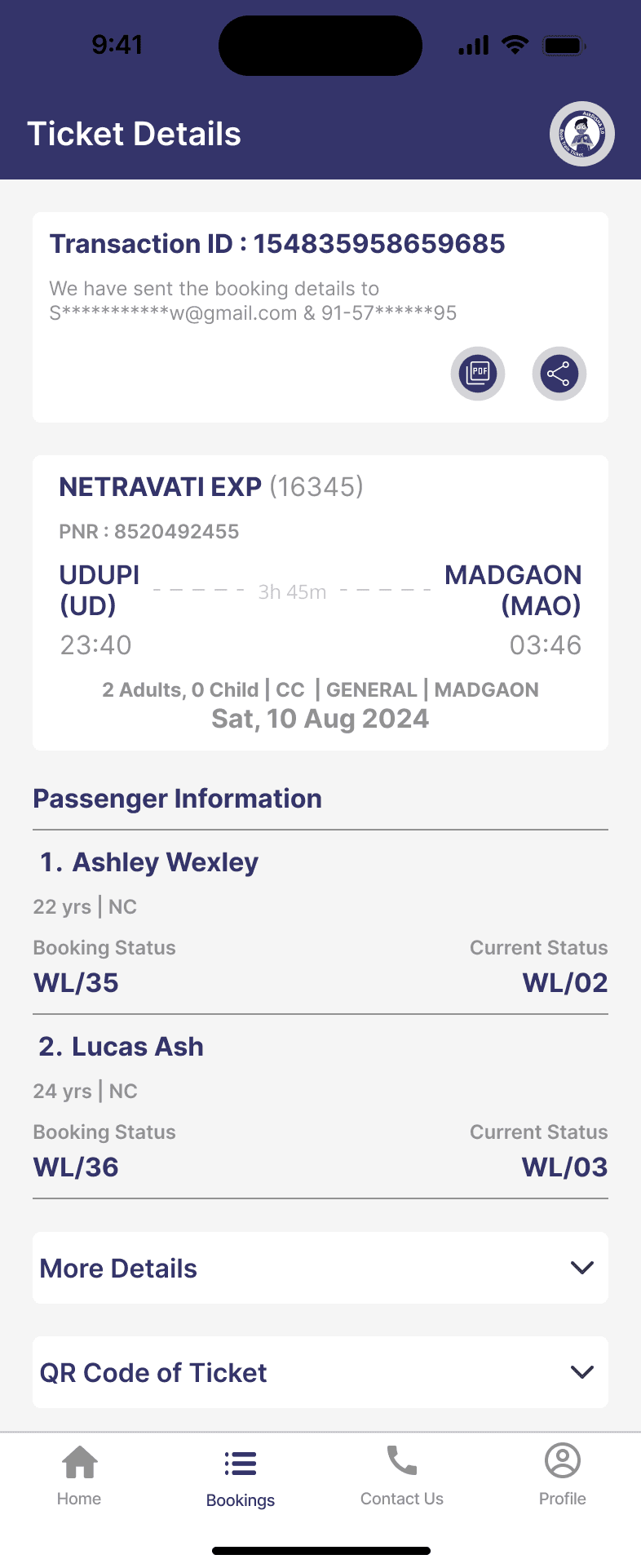
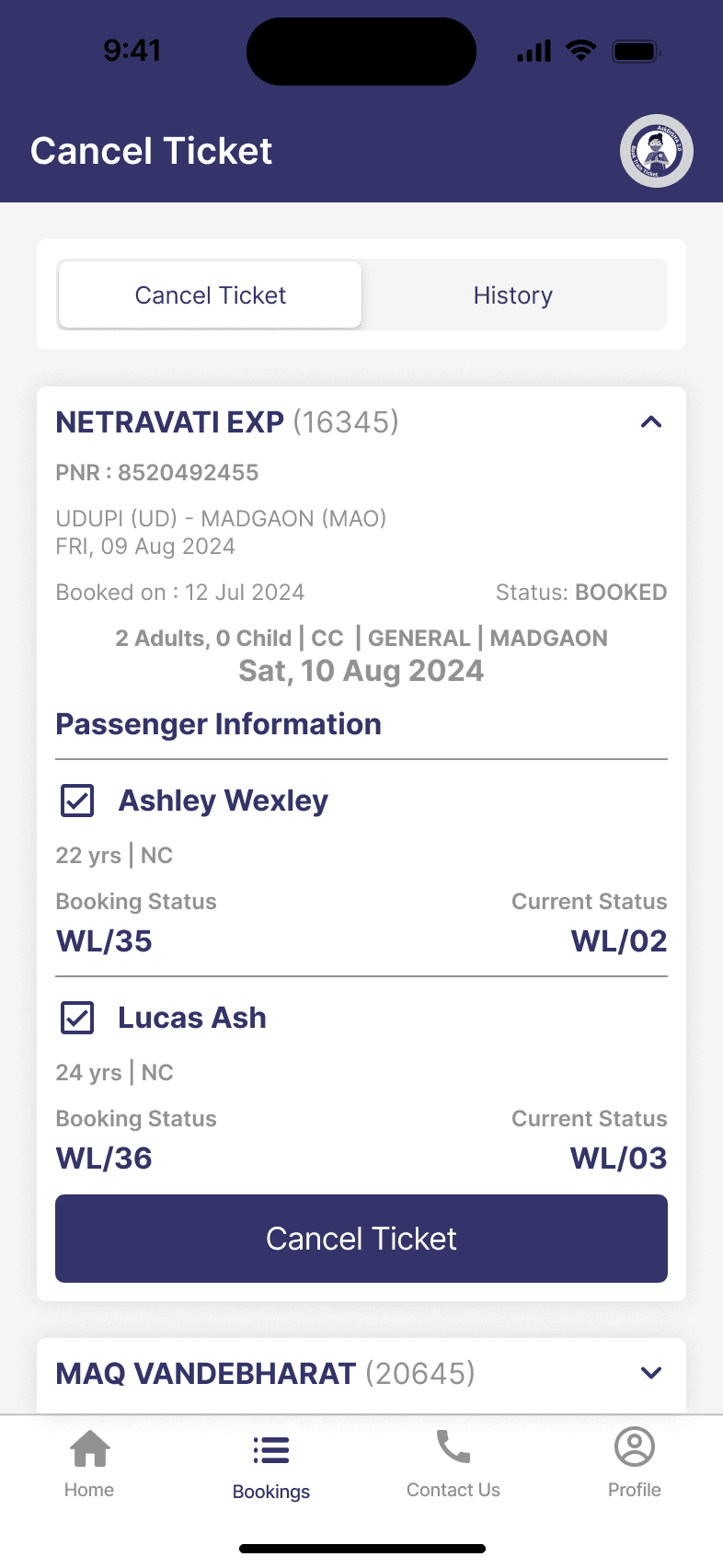
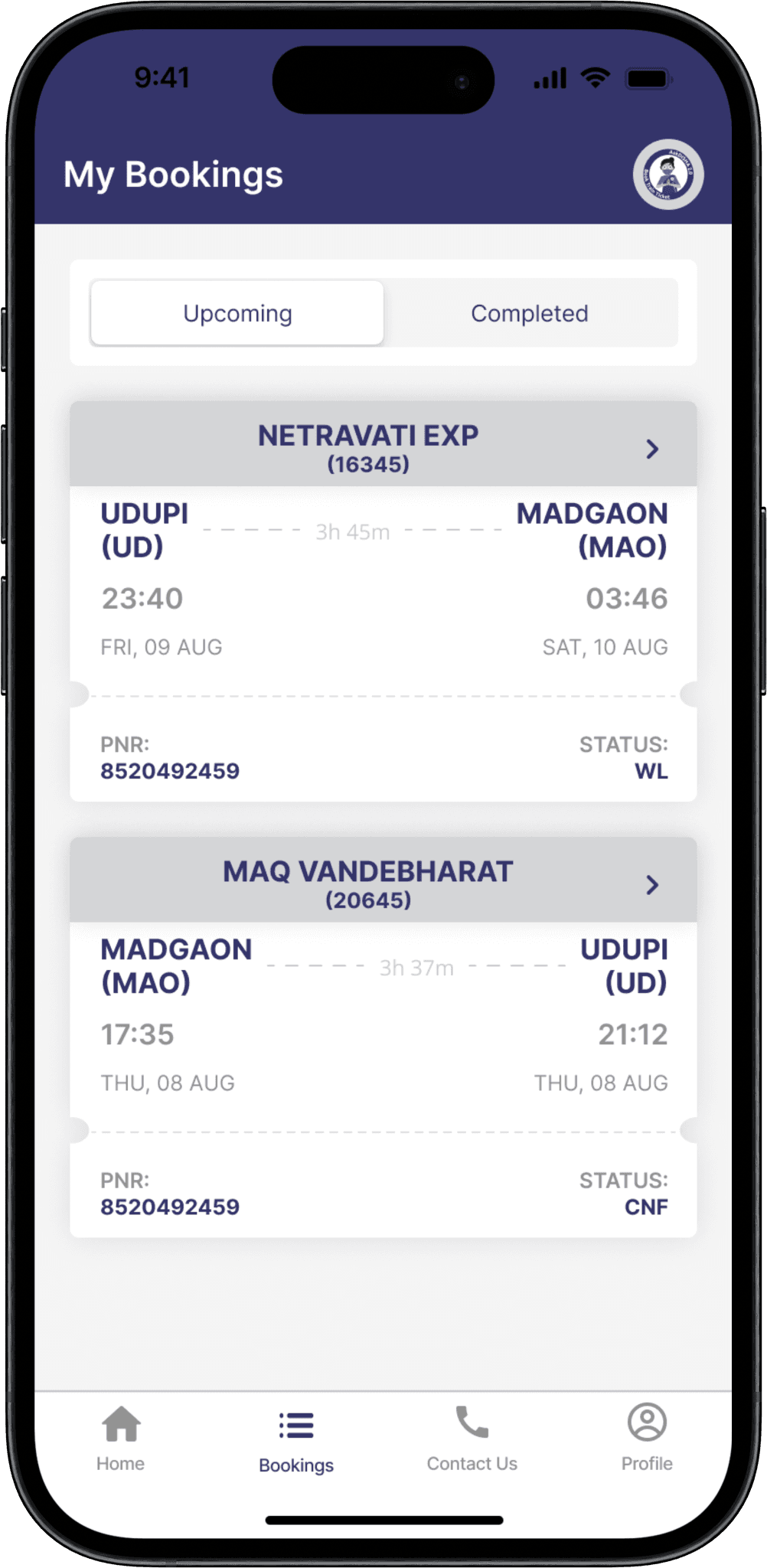
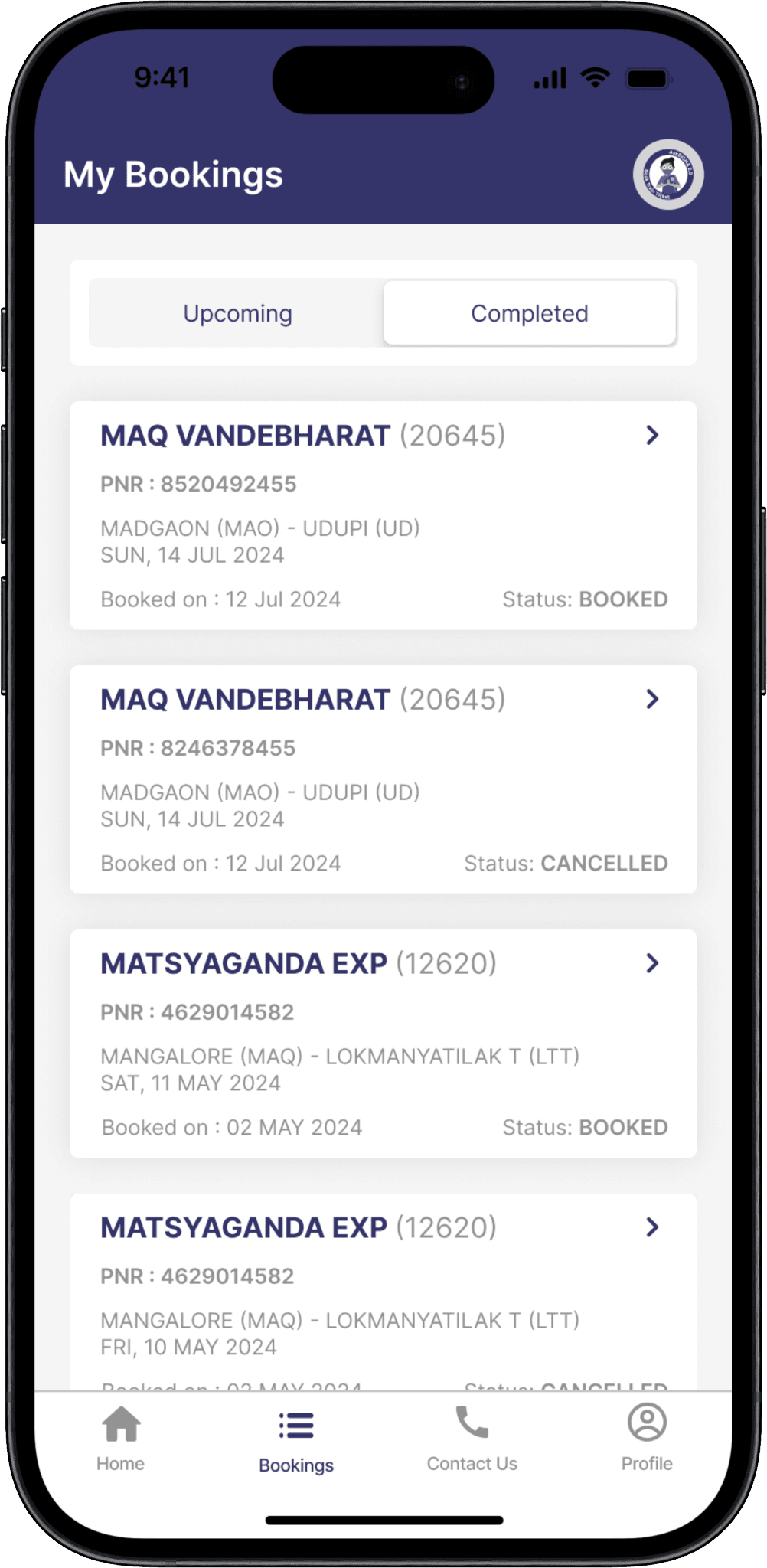
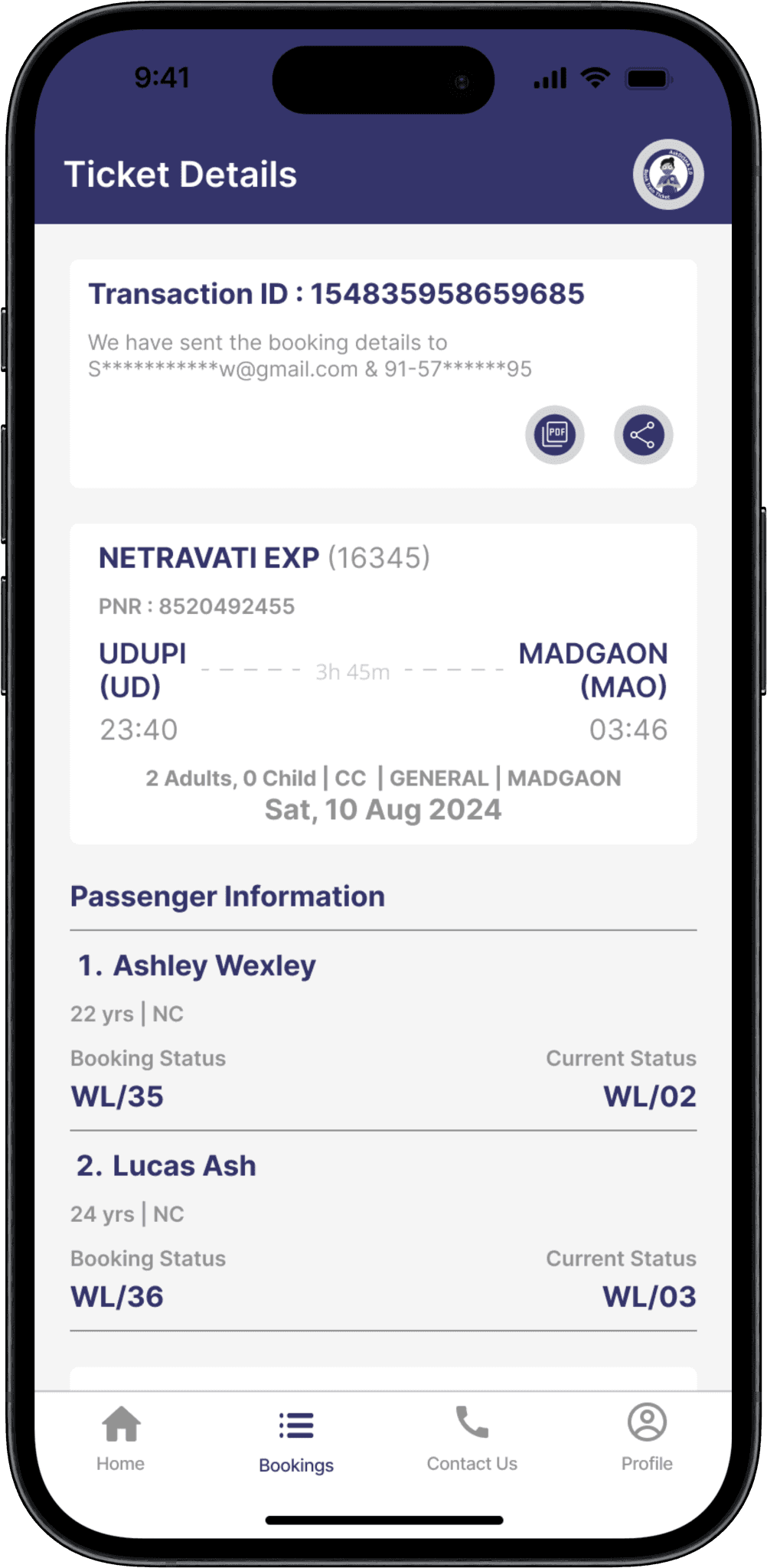
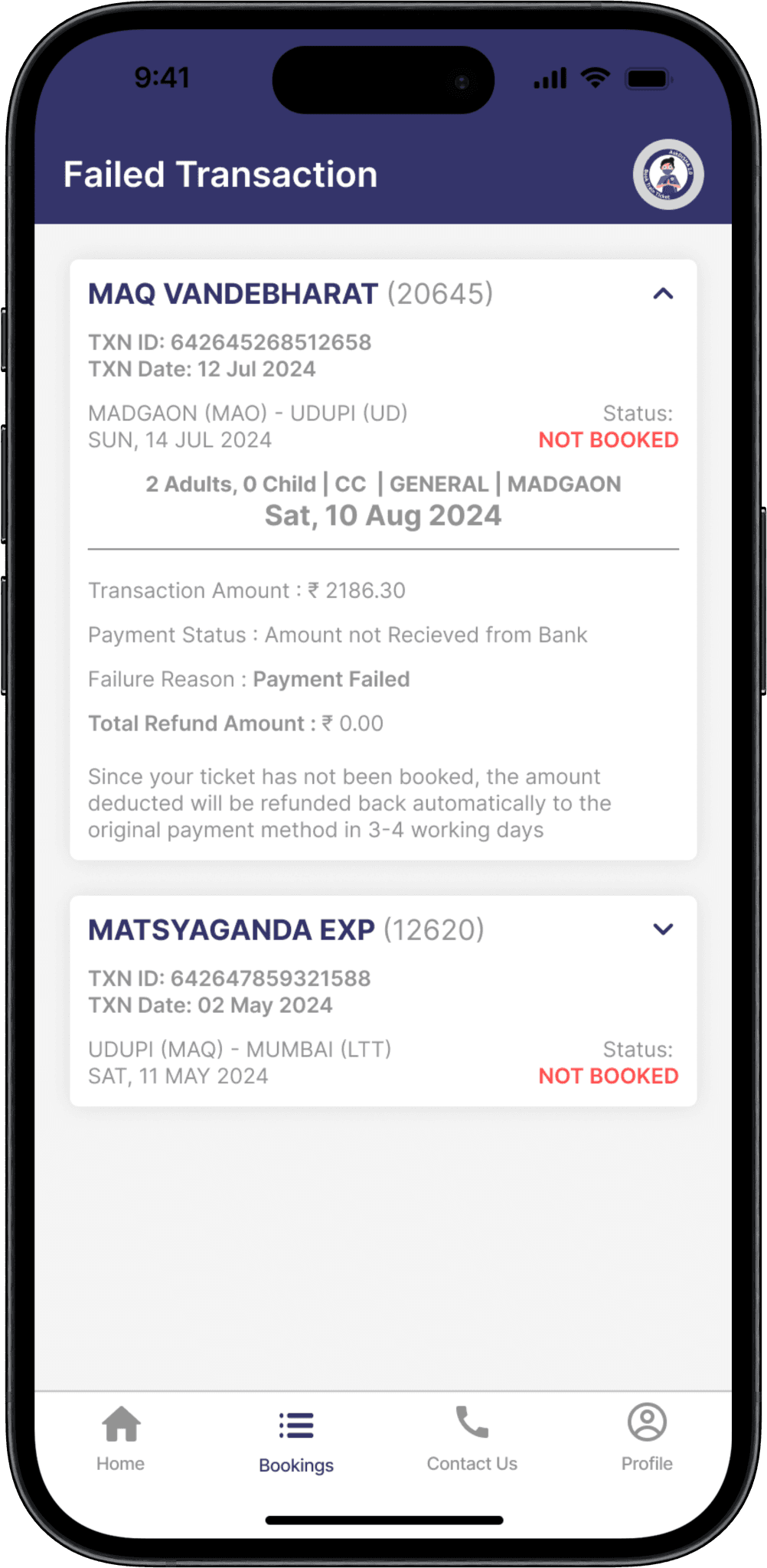
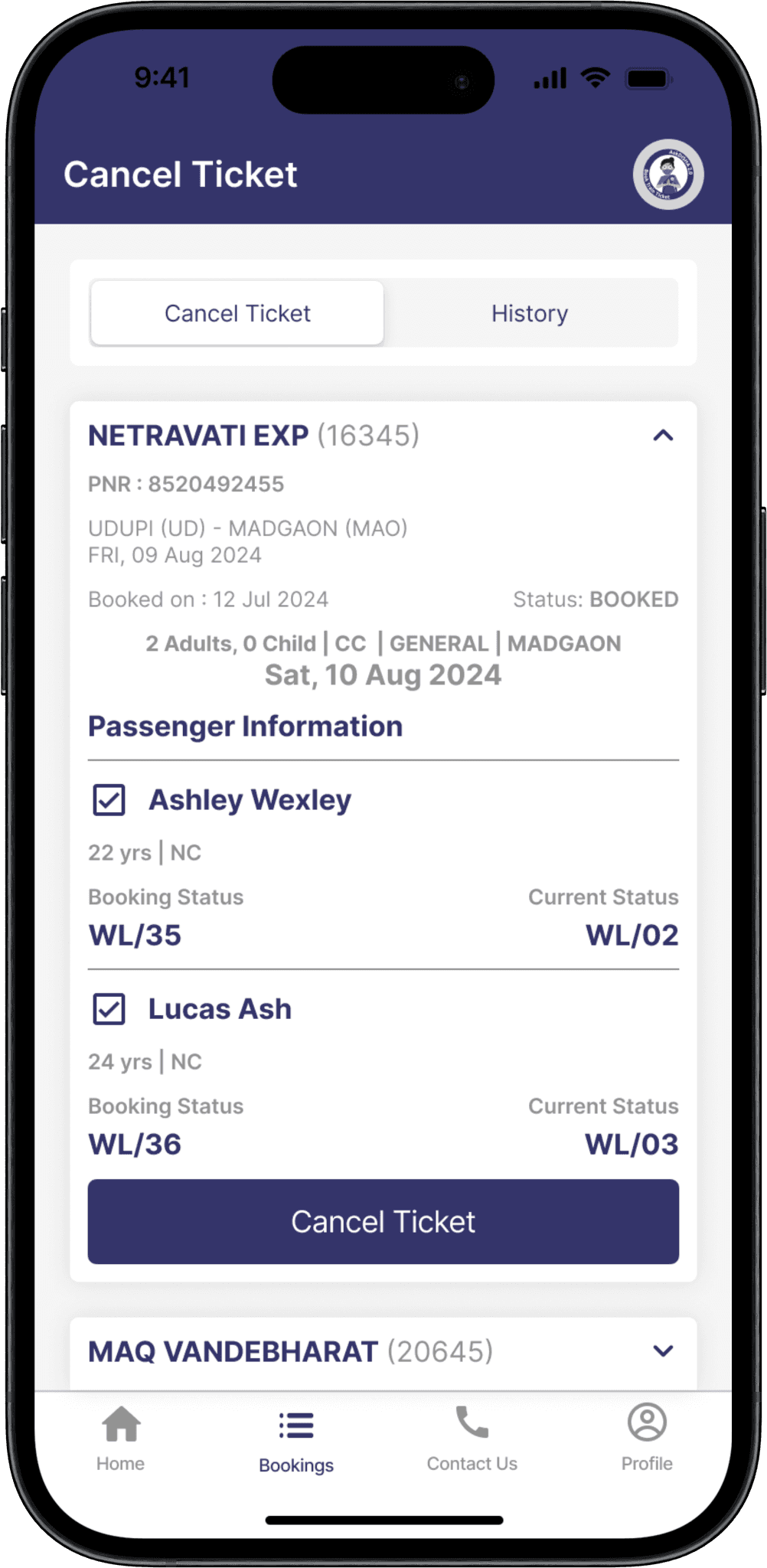
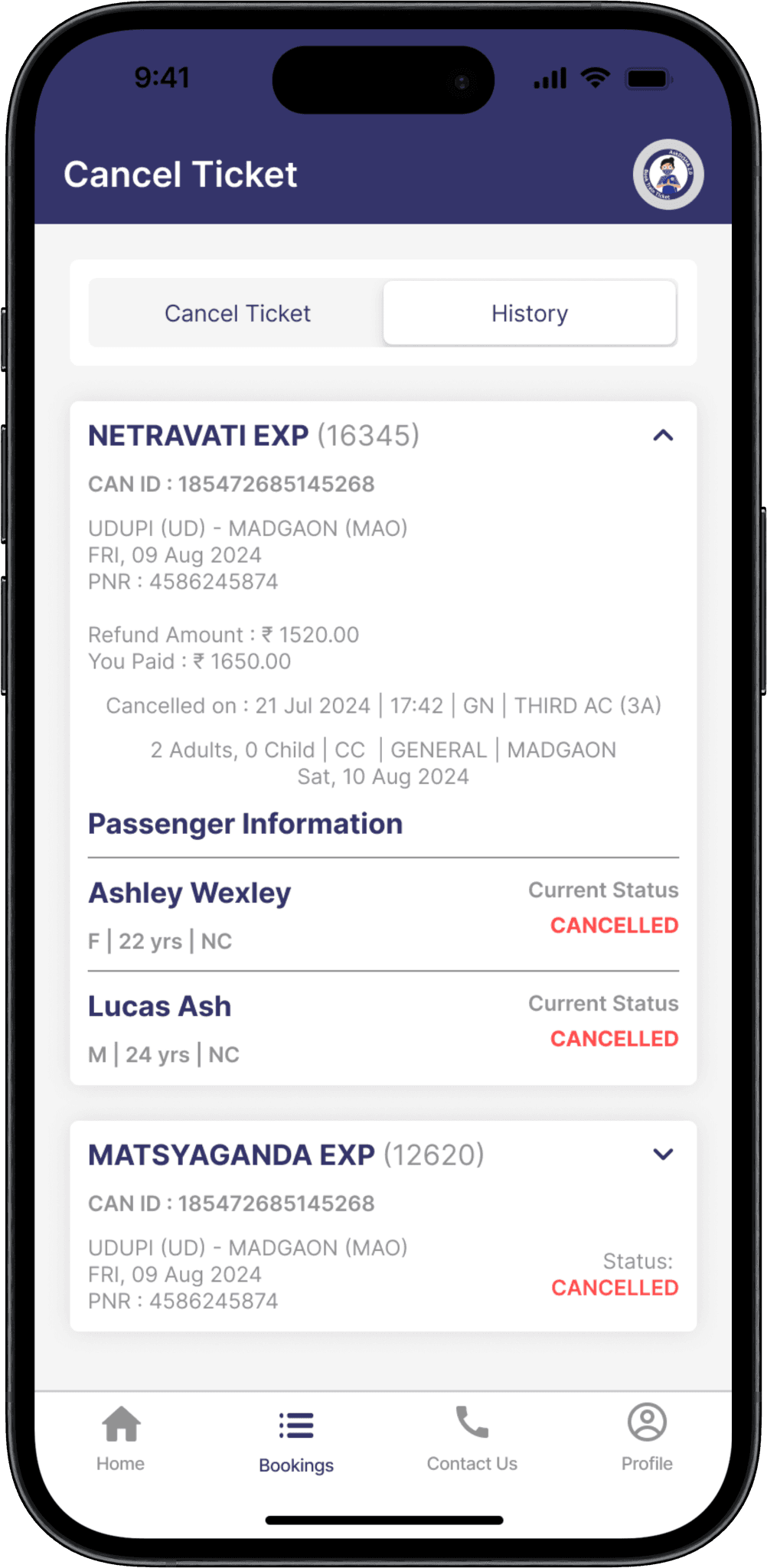
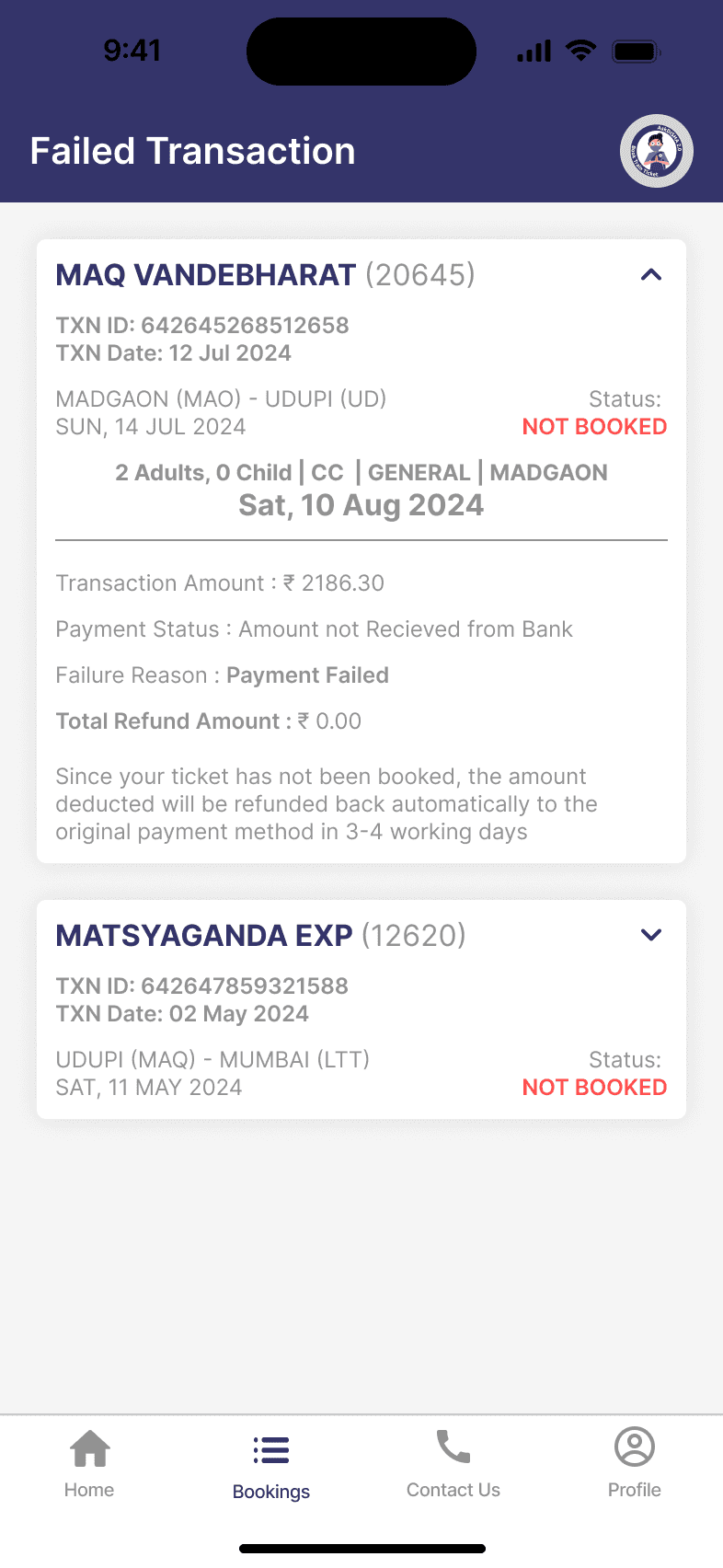
  • Use a uniform color scheme, fonts, and icons throughout the transactions page to create a cohesive look and feel.

  • Including all related features together to make it easier for the users.


  • Use a uniform color scheme, fonts, and icons throughout the transactions page to create a cohesive look and feel.

  • Including all related features together to make it easier for the users.


  • Use a uniform color scheme, fonts, and icons throughout the transactions page to create a cohesive look and feel.

  • Including all related features together to make it easier for the users.


My bookings section

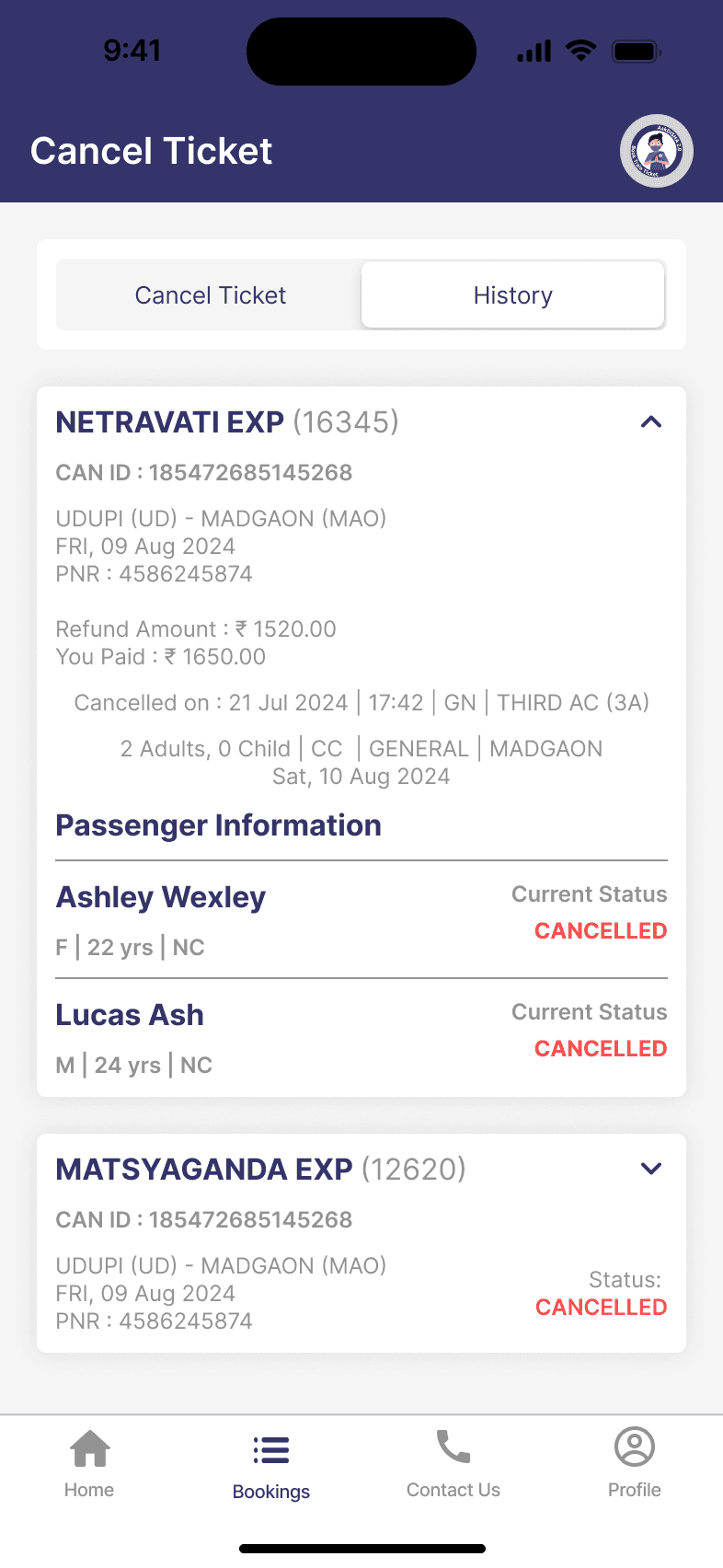
Failed Transaction & Cancel Ticket Page
Learnings

Faced the challenge of creating a user-friendly interface that accommodates the diverse needs of individuals with varying levels of tech-savviness, leading to a deeper understanding of user-centered design principles.


Striking the right balance between a simple interface and comprehensive features was challenging but crucial for ensuring an intuitive user experience.

"People don't need to learn how to book tickets. Apps need to learn how people think."

© 2025 ShraddhaPatil. All rights reserved